Check out the full tutorial video on sales orders here.
Navigate to Outbound > Customer Orders
Open the pick ticket for the order
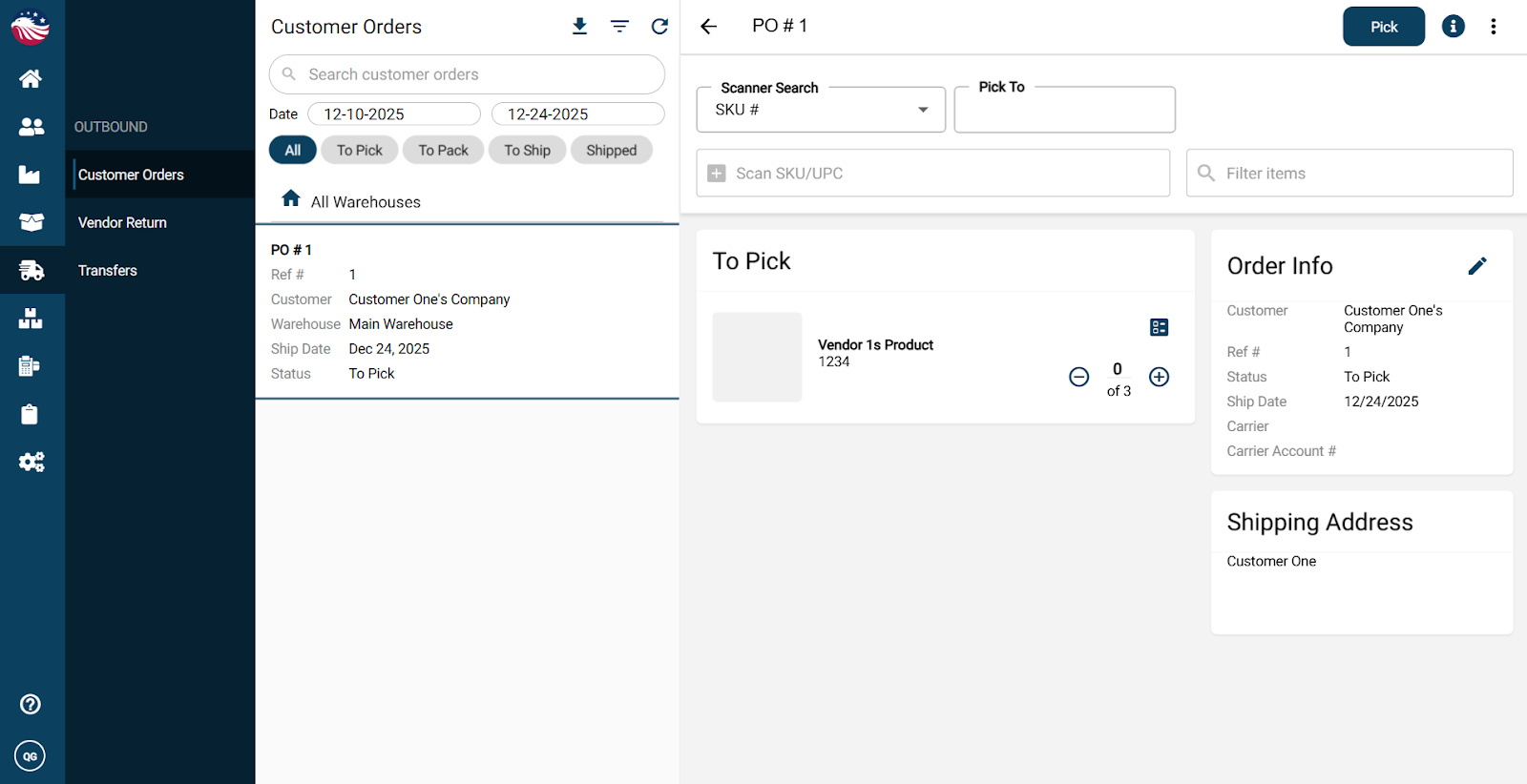
Definition: A pick ticket is a warehouse shopping list. It tells your team what to pick and where to find it.
Pick items by:
clicking the + icon,
scanning a barcode, or
entering the quantity manually
If an item is stored in multiple locations, click the picking location to see all available locations
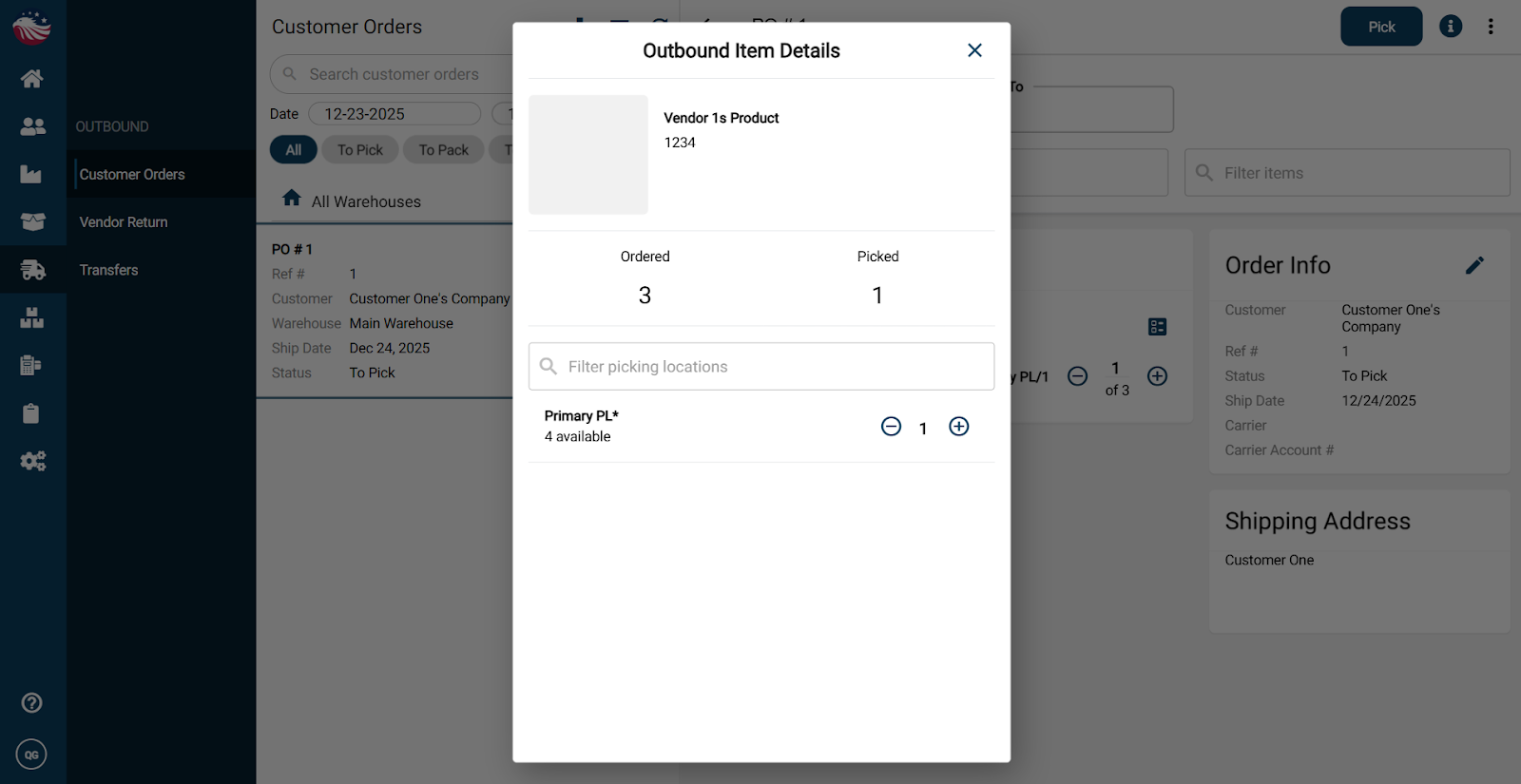
When everything is picked, click Pick (status becomes To Pack)
When packed, click Pack to create a shipping slip (status becomes To Ship)
When ready, click Ship to complete the shipment
Shipping converts the sales order into an invoice and sets the order status to Shipped.
