Check out the full tutorial video here.
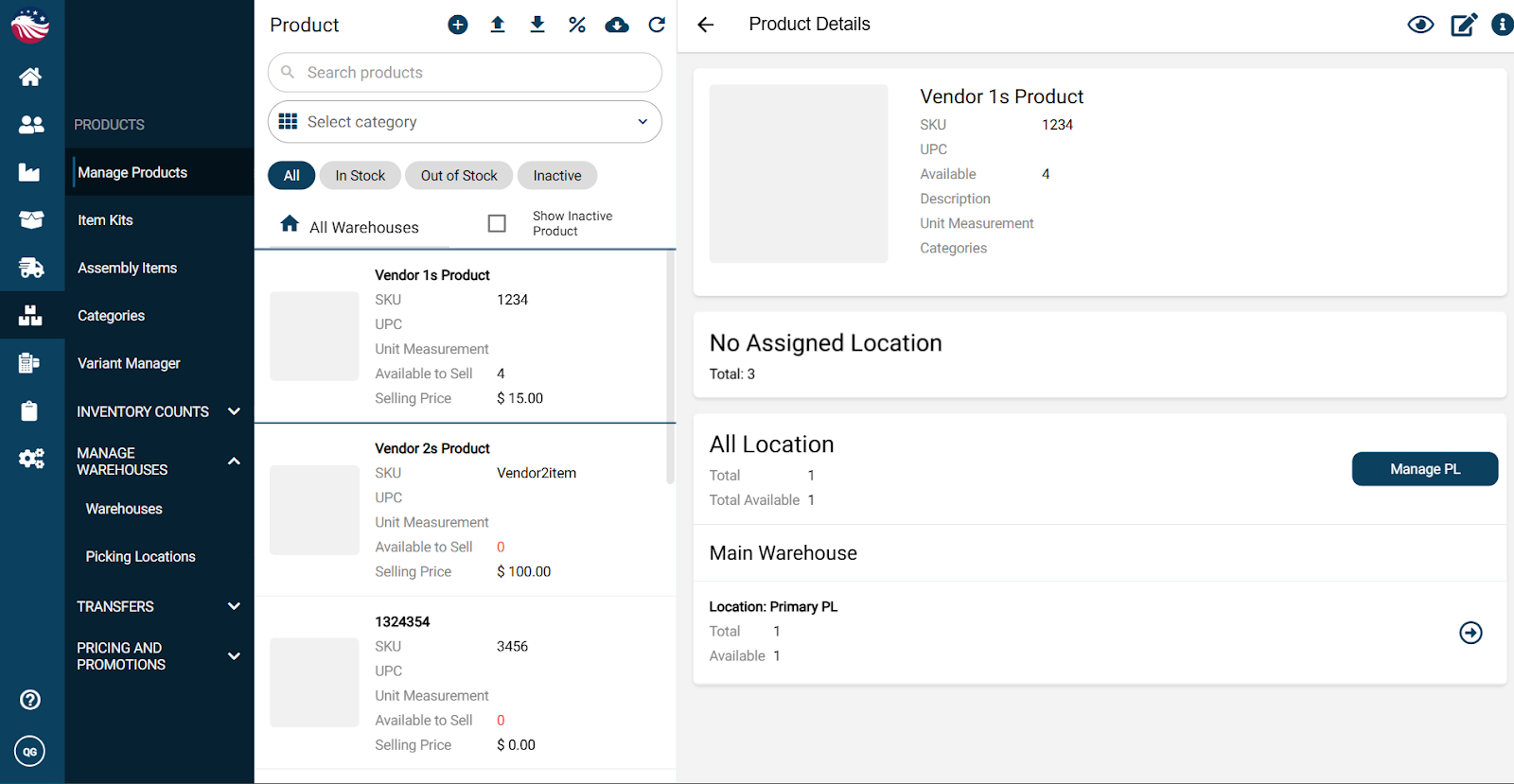
Navigate to Products > Manage Products
Find a product with enough stock
Click the arrow icon to start a stock transfer
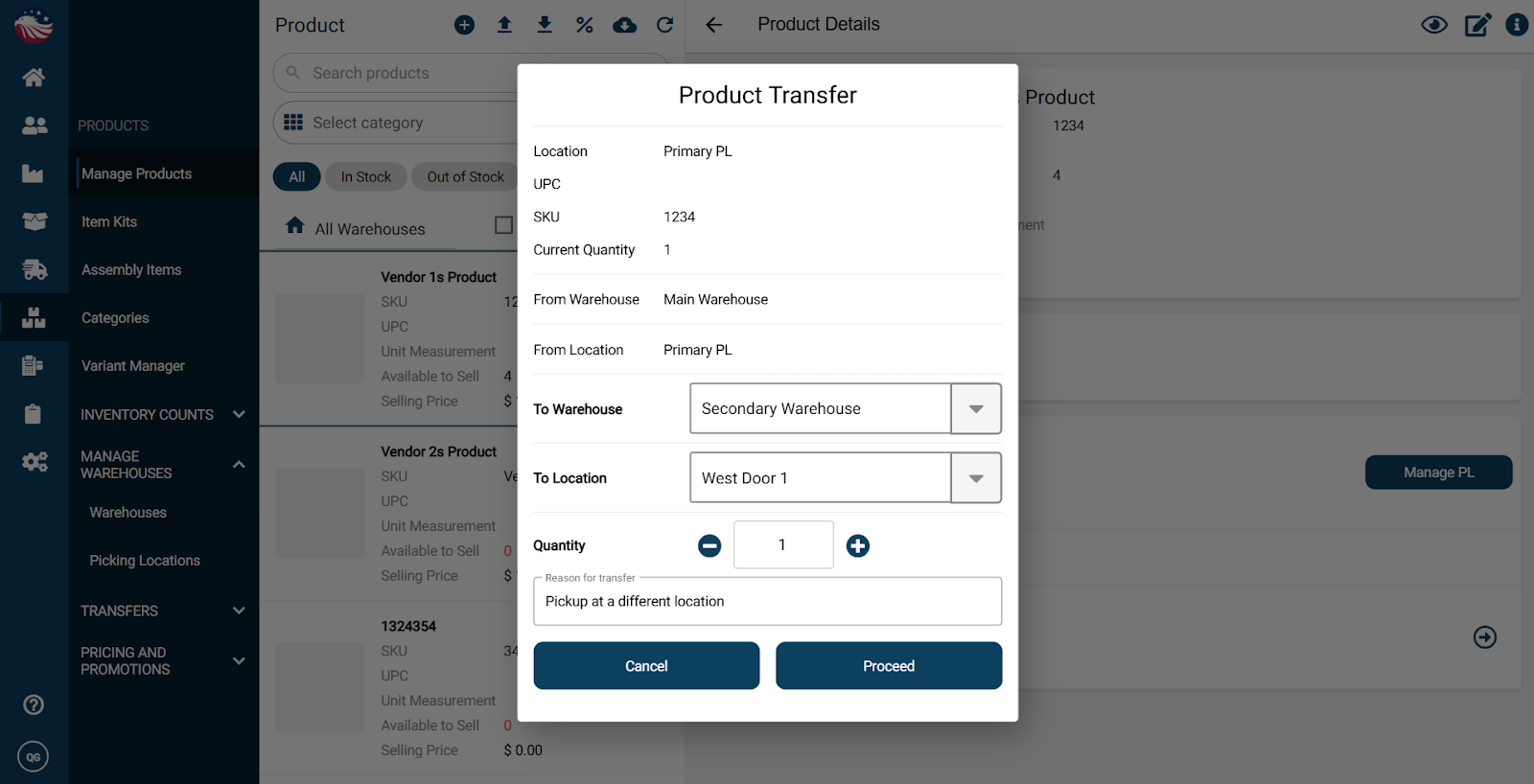
Choose the destination warehouse and location
Enter the quantity and a reason
Click Proceed, review, then click Transfer