Check out the full video tutorial here.
Before creating a vendor return, make sure the item is currently in stock:
Products > Manage Products
Then:
Navigate to Vendors > Vendor Return > Create Vendor Return
Select the vendor
Enter the vendor RMA number (Return Merchandise Authorization)
Enter the quantity to return
Click Process
Navigate to Vendors > Vendor Return > View Vendor Returns to confirm the return status (you should see At Warehouse)
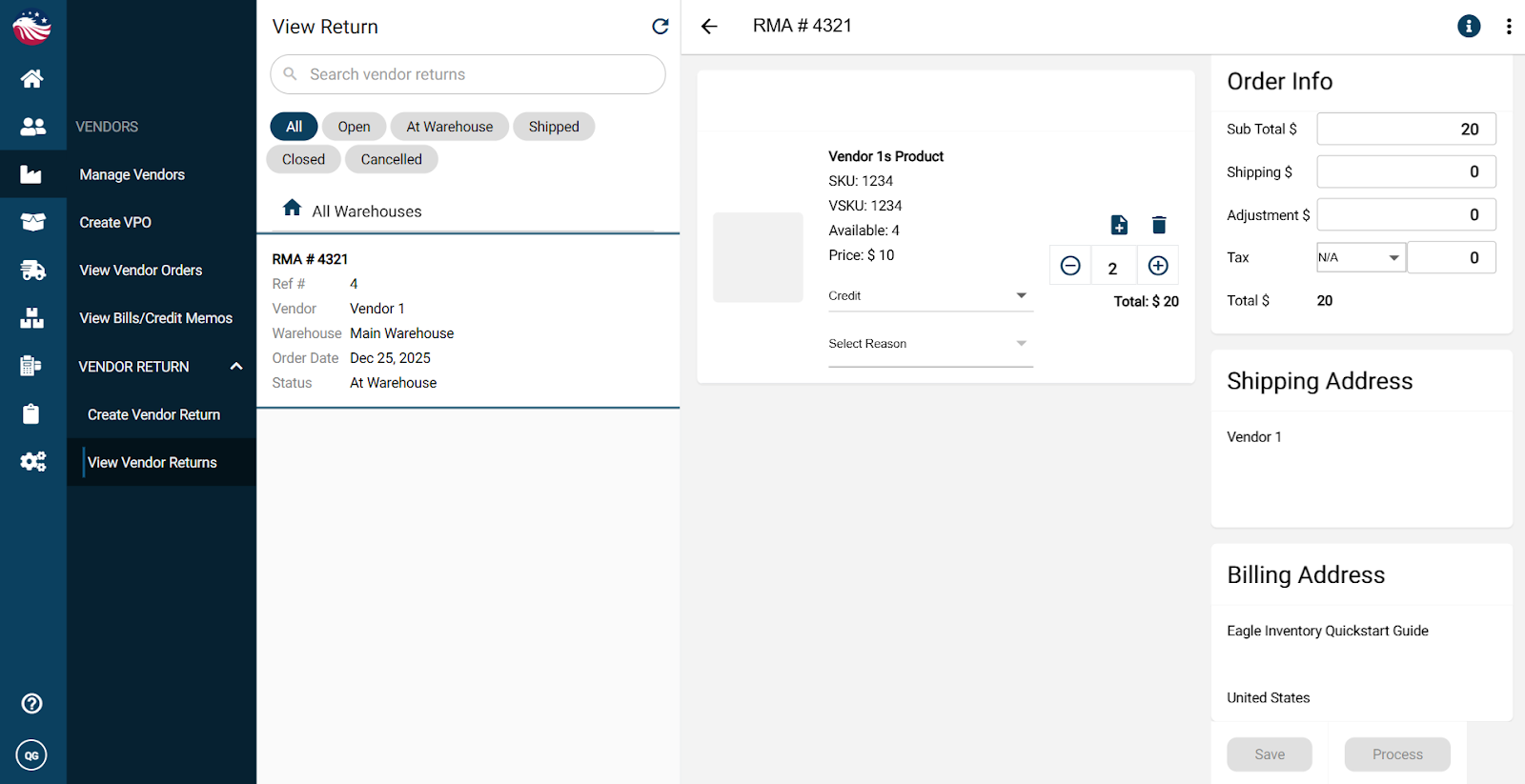
Now ship it out, just like a regular outbound shipment:
Navigate to Outbound > Vendor Return
Pick, Pack, and Ship the return just like we did when fulfilling a sales order earlier.
When shipped:
the vendor return status updates to Shipped
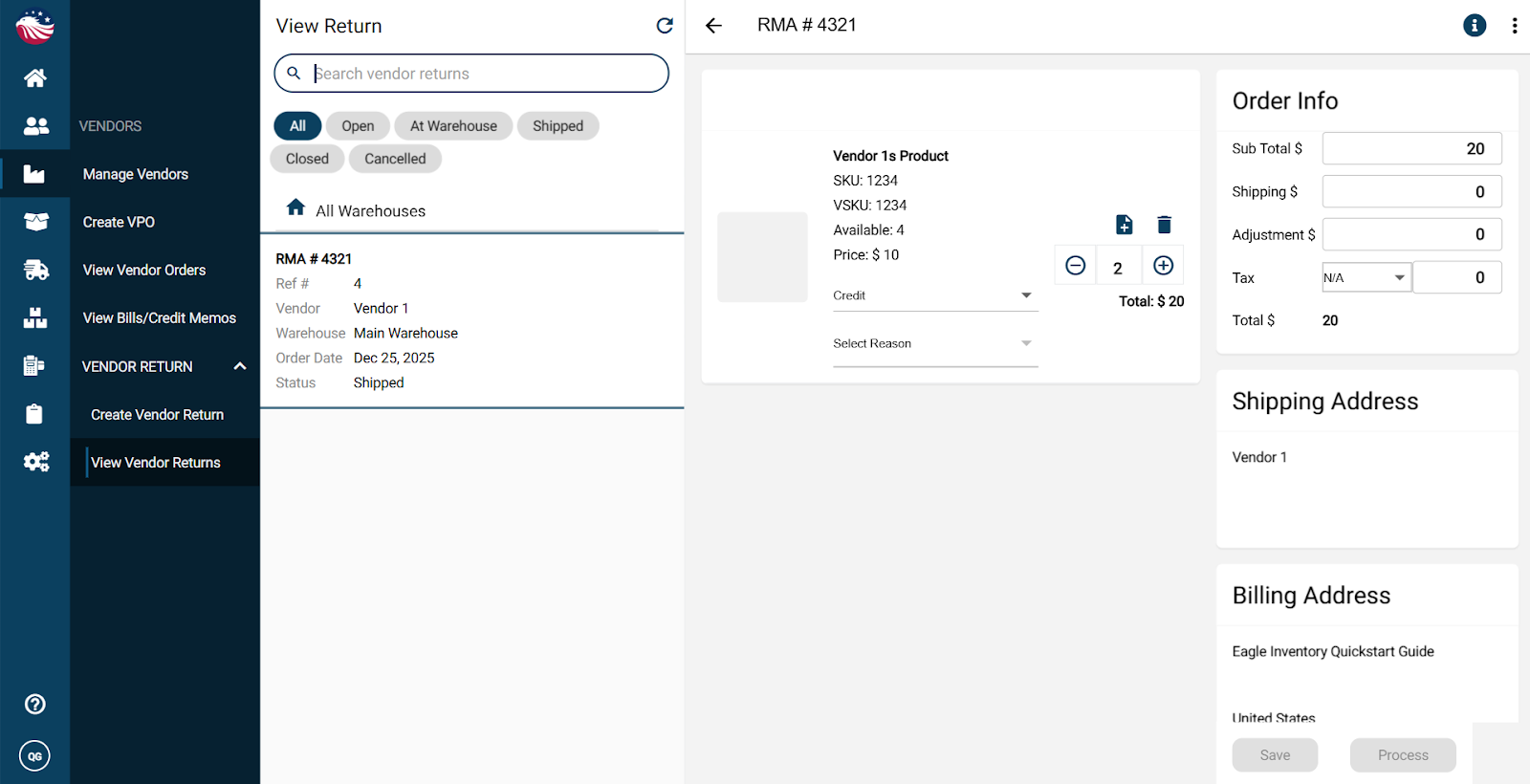
a Pending Credit Memo is created in Vendors > View Bills/Credit Memos
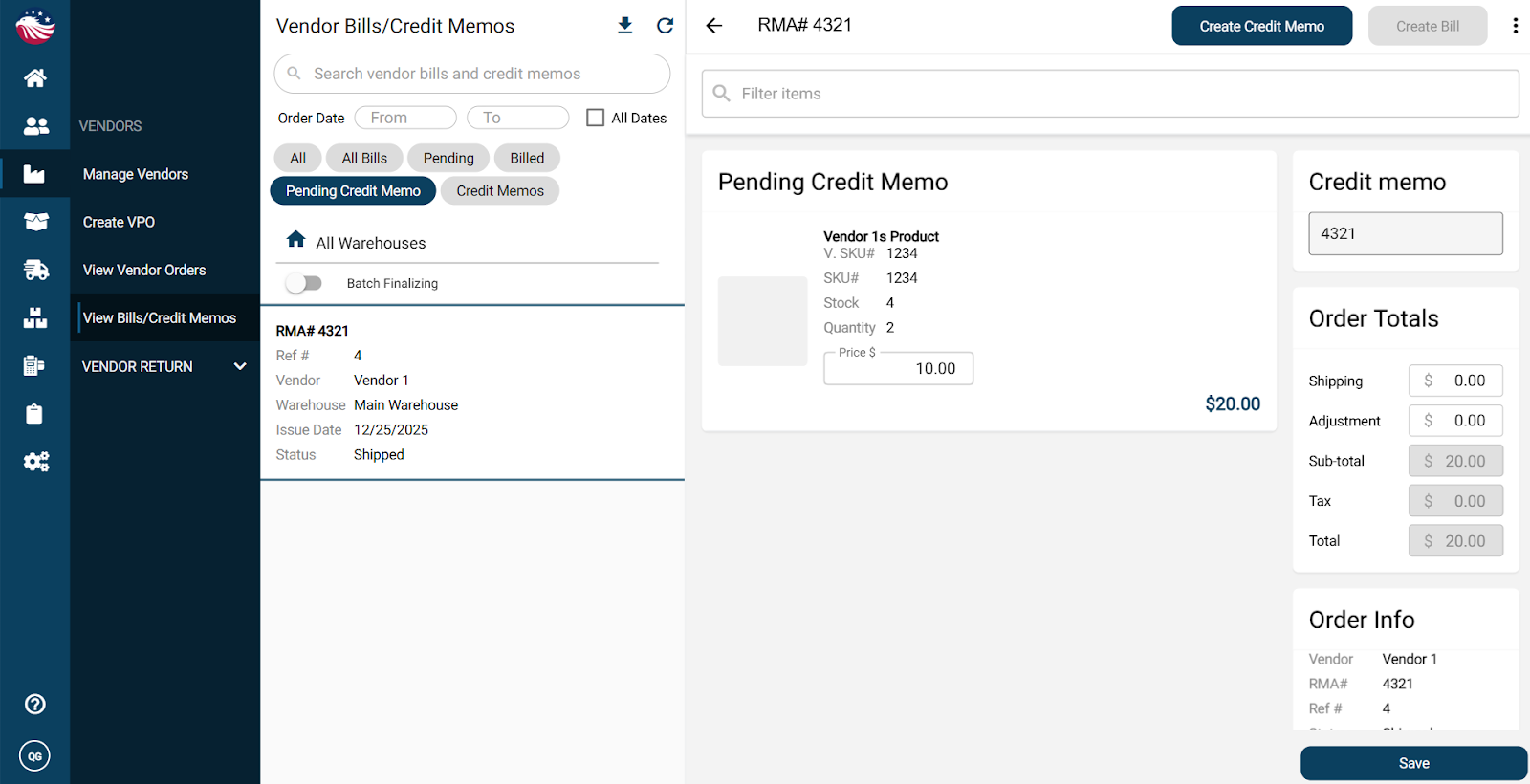
To finalize the Pending Credit Memo:
Select the record
Click Create Credit Memo (top right)
That closes the vendor return.
