Stop guessing when to order. Let Eagle Inventory tell you exactly what you need and when.
Every business runs a little differently, so this guide is modular. Jump to the parts you need, skip what you don’t, and come back anytime.
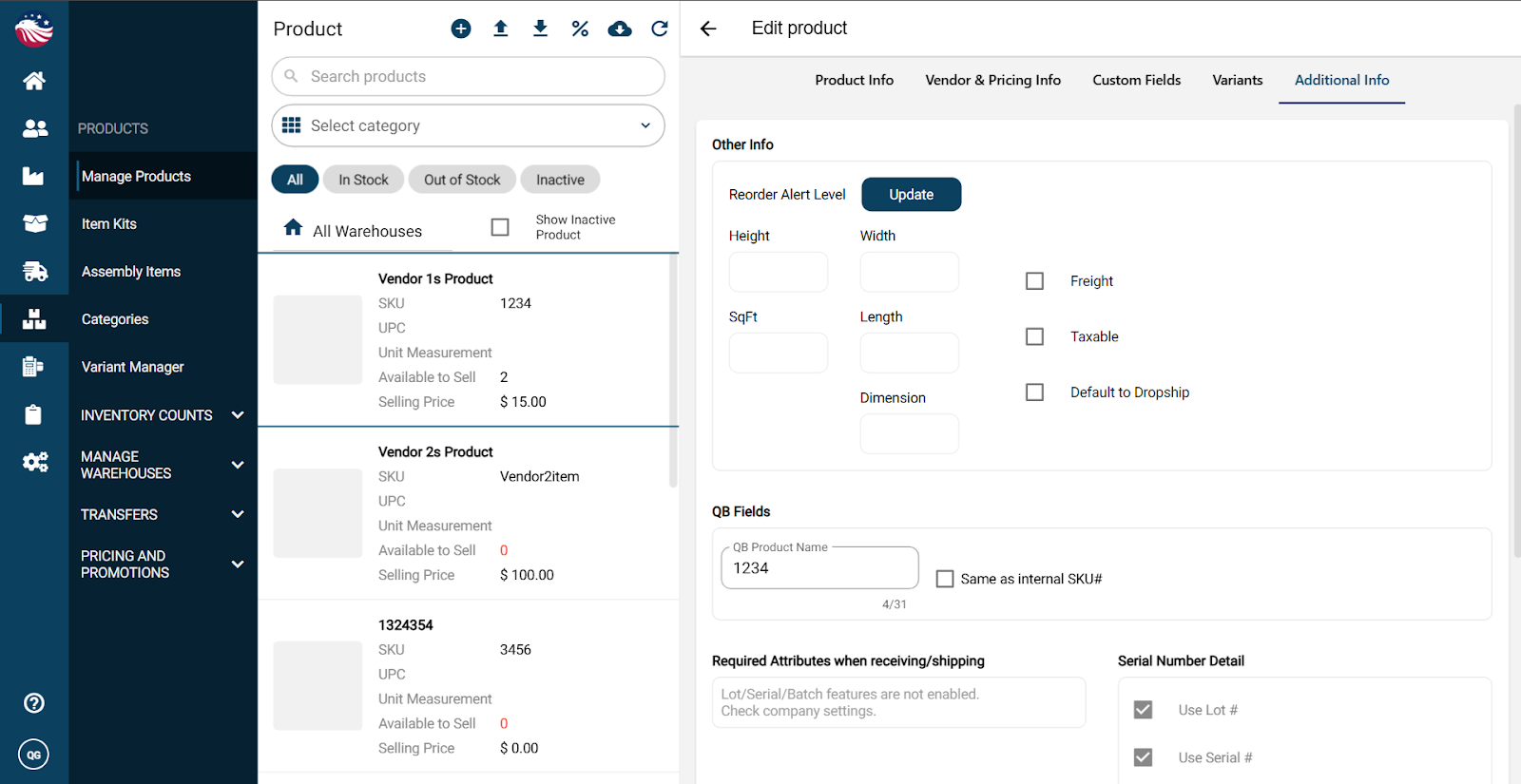
Go to Products > Manage Products and search for your item.
Click Edit (pencil icon in the top right), then under Additional Info, click Update.
Set your Alert Level (Minimum) and Target Stock (Maximum).
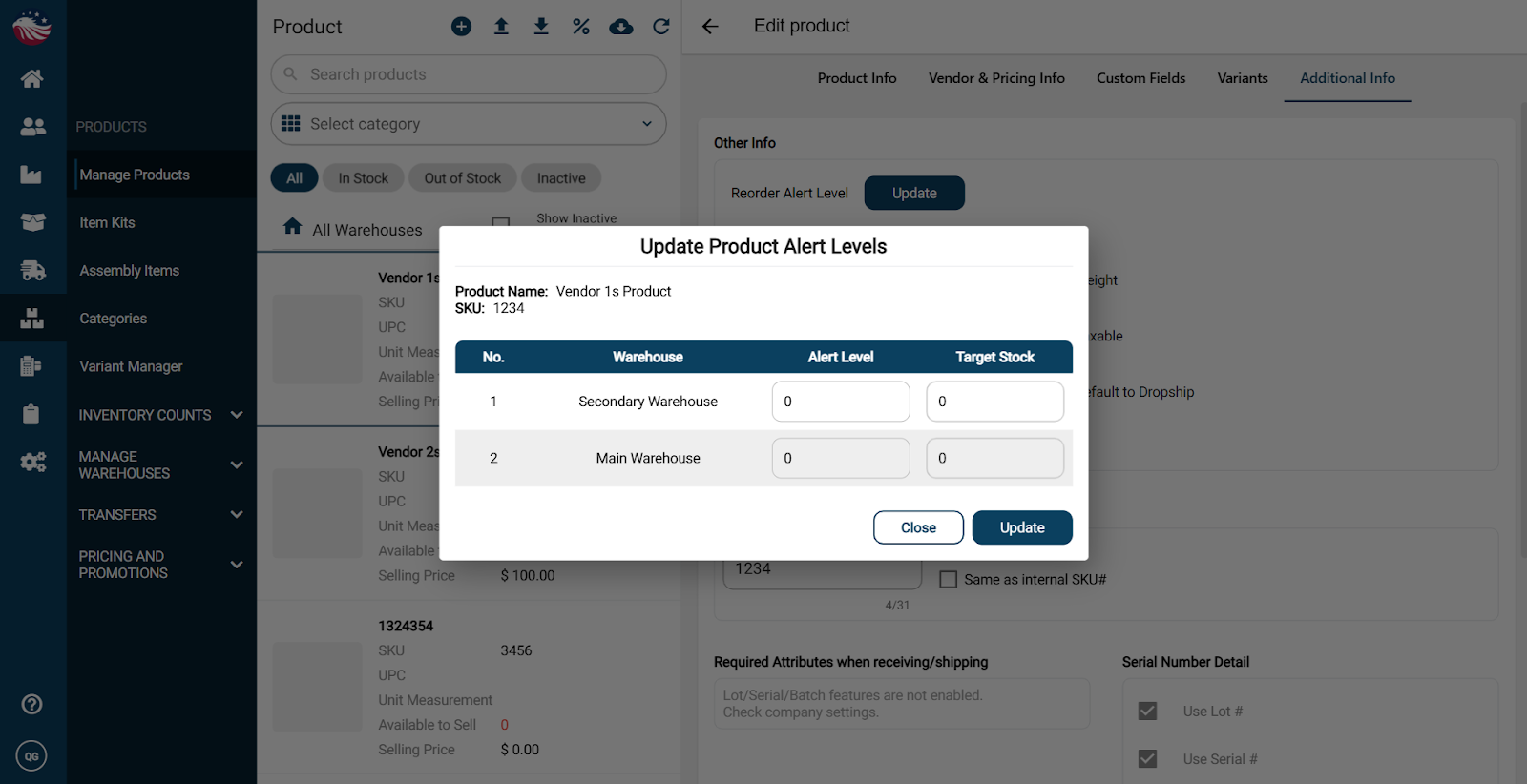
Bird’s Eye View: What do these numbers mean?
Alert Level: The "Red Zone." When stock hits this number, the system knows it's time to reorder.
Target Stock: The "Perfect World." This is the maximum amount of inventory you want sitting in your warehouse.
