Navigate to Vendors and click Create VPO.
Select your Vendor.
Select the filter for "Products below reorder point."
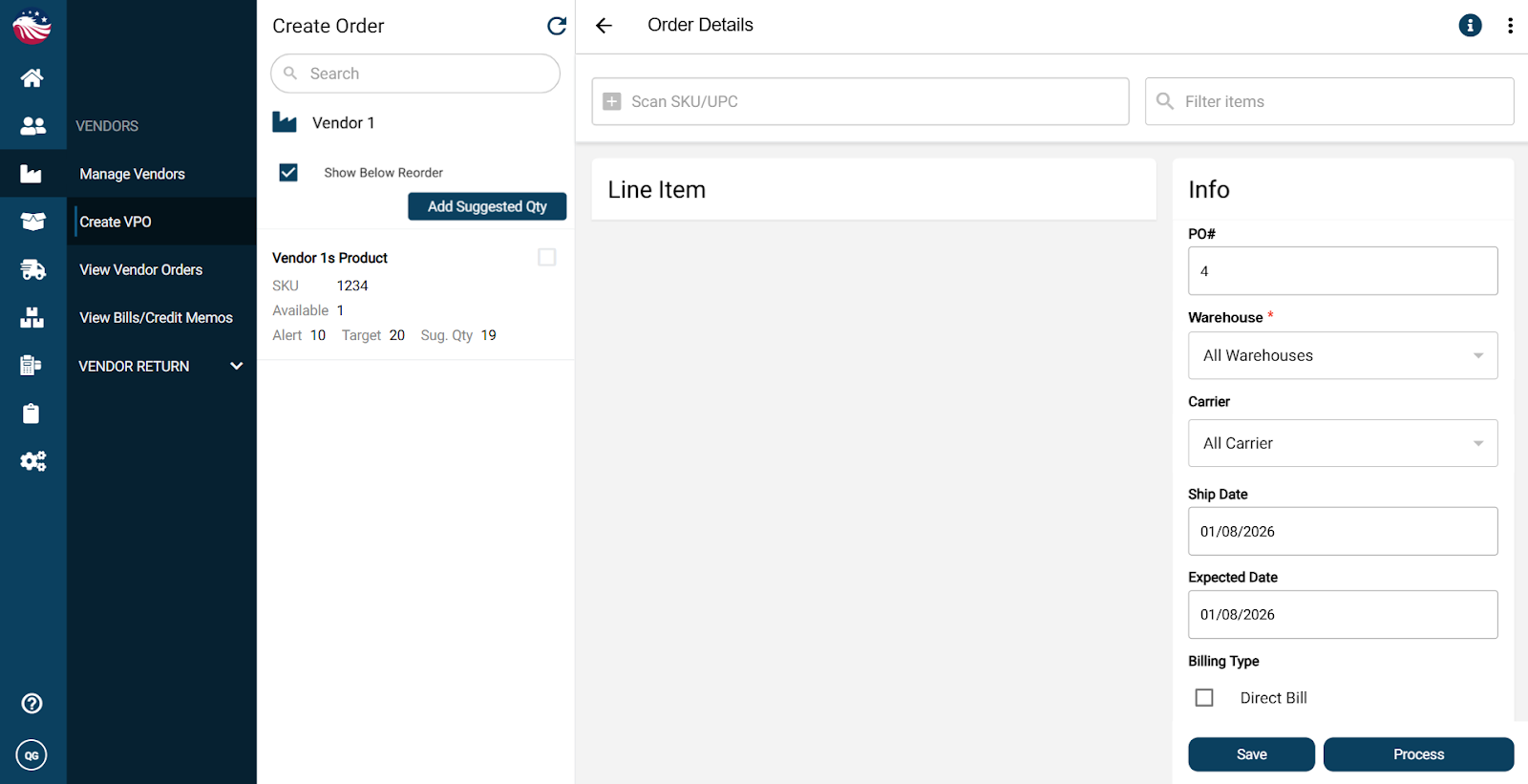
Check the boxes for the products you want to order.
Note: The system automatically calculates the Suggested Quantity (Target Level minus Current Stock).
Select the Warehouse to receive into and hit Process.
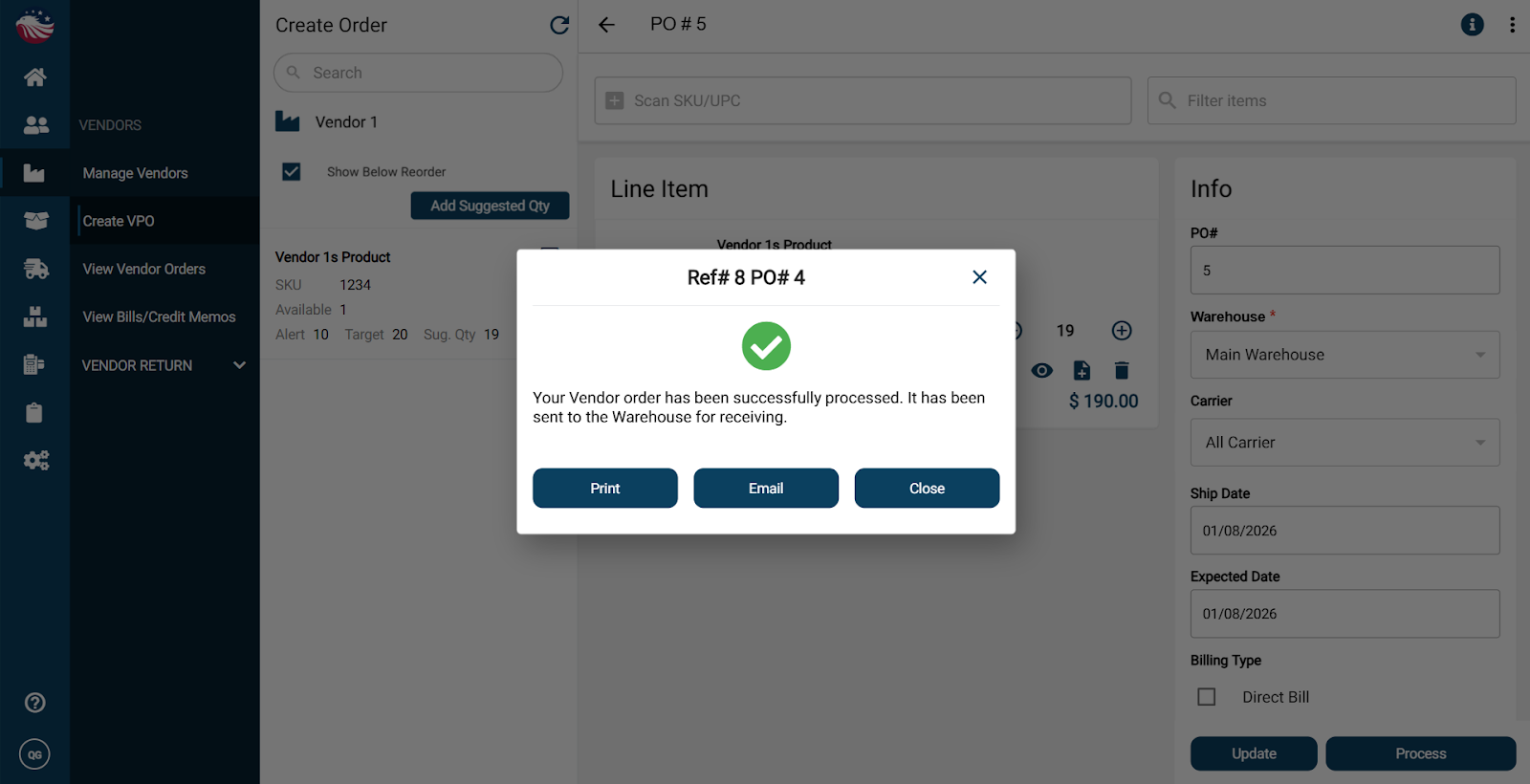
You can now email this order to your vendor. When it arrives, go to Inbound > Inbound Orders, enter the quantity (or click the three dots in the top left, then select Receive All), add a Bill Number, and click Receive.
