
Sometimes a customer wants something that is currently out of stock. Here is how to sell it now and order it immediately.
Go to Customers > Sales Order and select your customer.
Add the out-of-stock product to the cart.
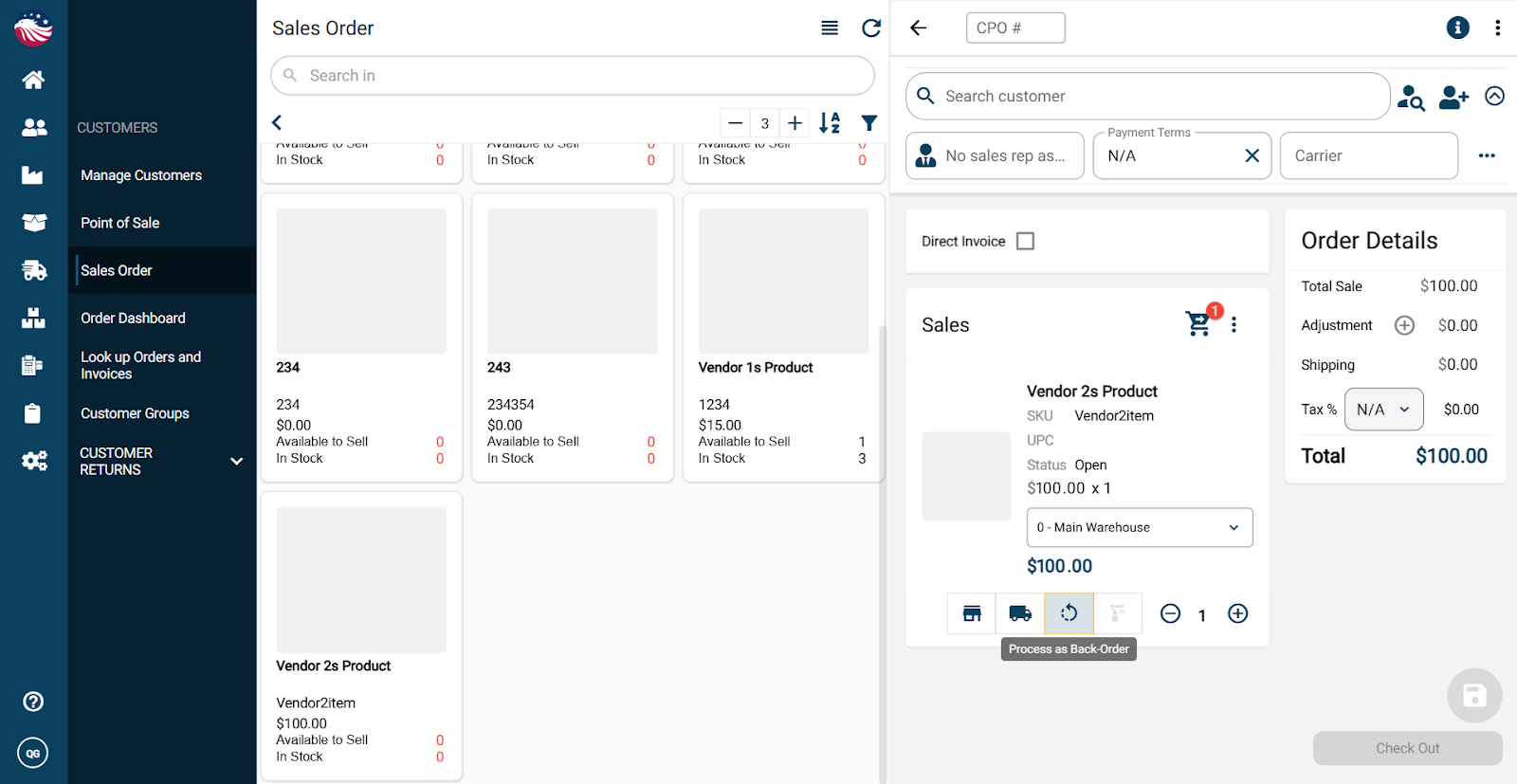
Bird’s Eye View: Notice that the system automatically checks the "Process as backorder" option.
Enter the quantity, hit Checkout, choose your payment method (e.g., On Account), and click Done.