Did the vendor only send half your order? No problem. We can keep the PO open and bill for just what arrived.
Go to Inbound > Inbound Orders and find your order.
Enter the Quantity that actually arrived (e.g., if you ordered 50 but got 20, type 20).
Enter the Vendor Bill Number and hit Receive.
You will see a warning that quantities do not match. Click Proceed Anyway.
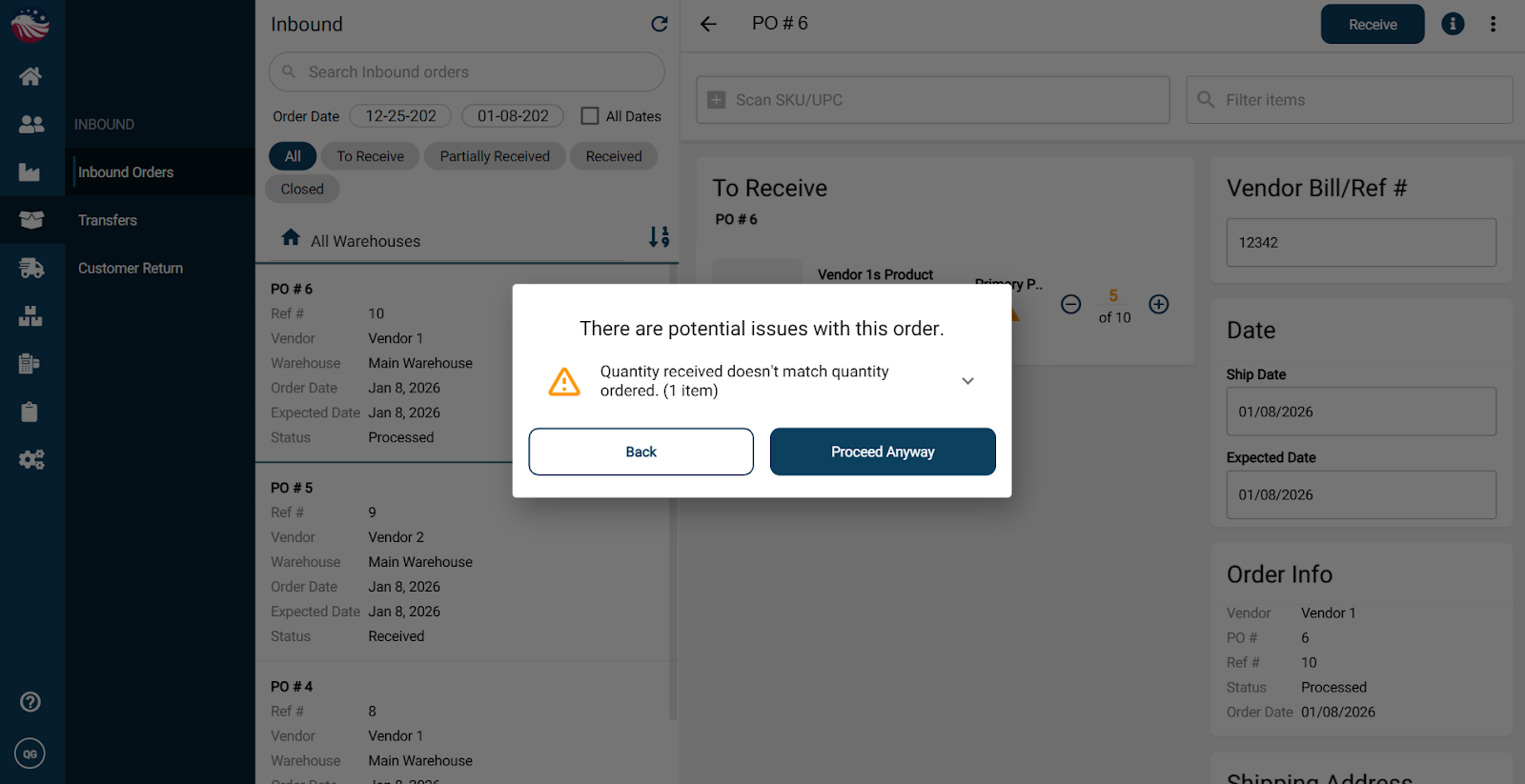
The status of this PO will now change to "Partially Received." This creates a pending bill for only the items you received, keeping your accounting accurate.
You can see this bill by going to Vendors > View Bills/Credit Memos and selecting the Pending filter. You can finalize this bill with the Create Bill button in the top right corner.
