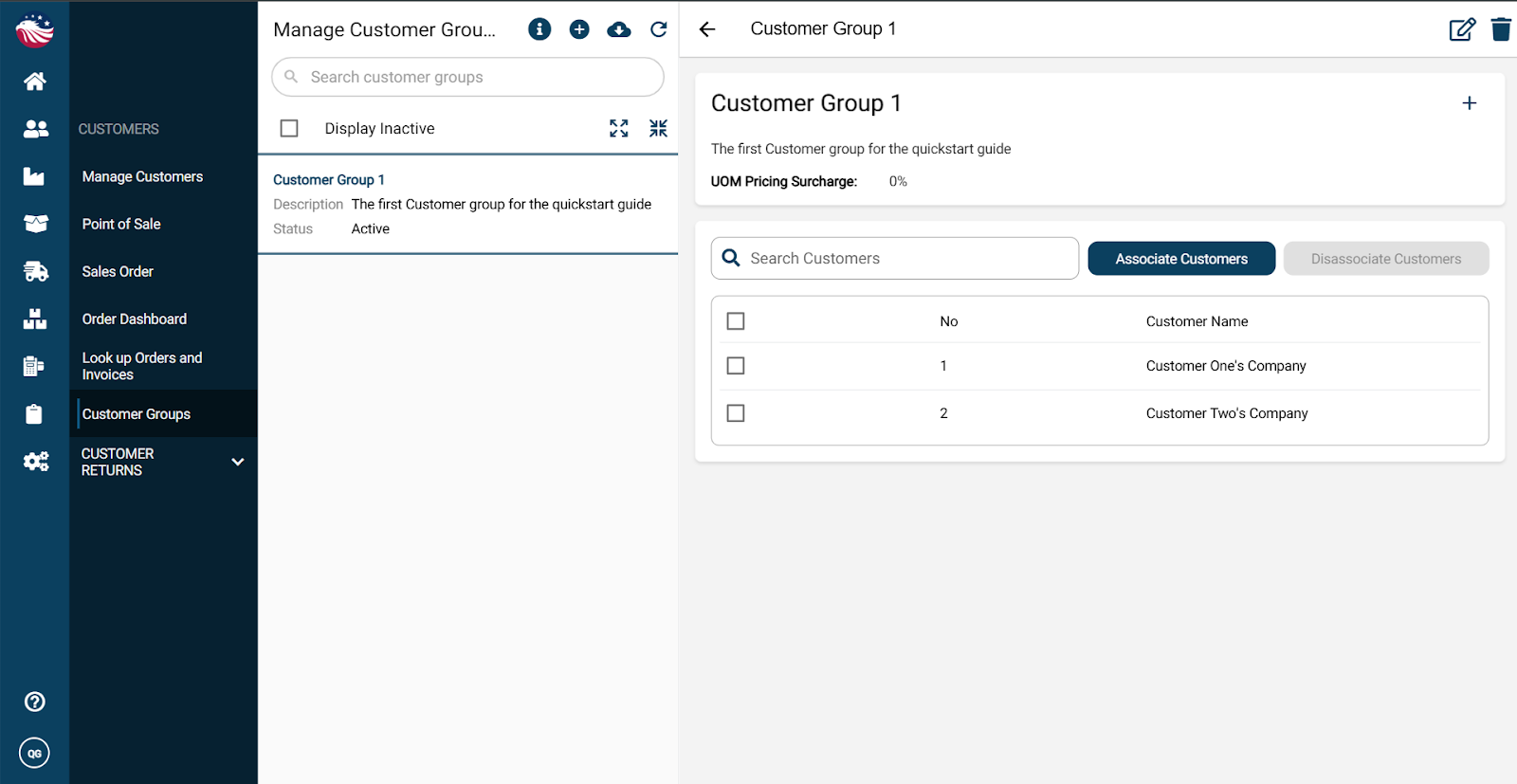
Why type in prices manually? Let’s set up special pricing (like "Wholesale") so the system does the math for you.
Go to Customers > Customer Groups.
Click the (+) Plus Icon.
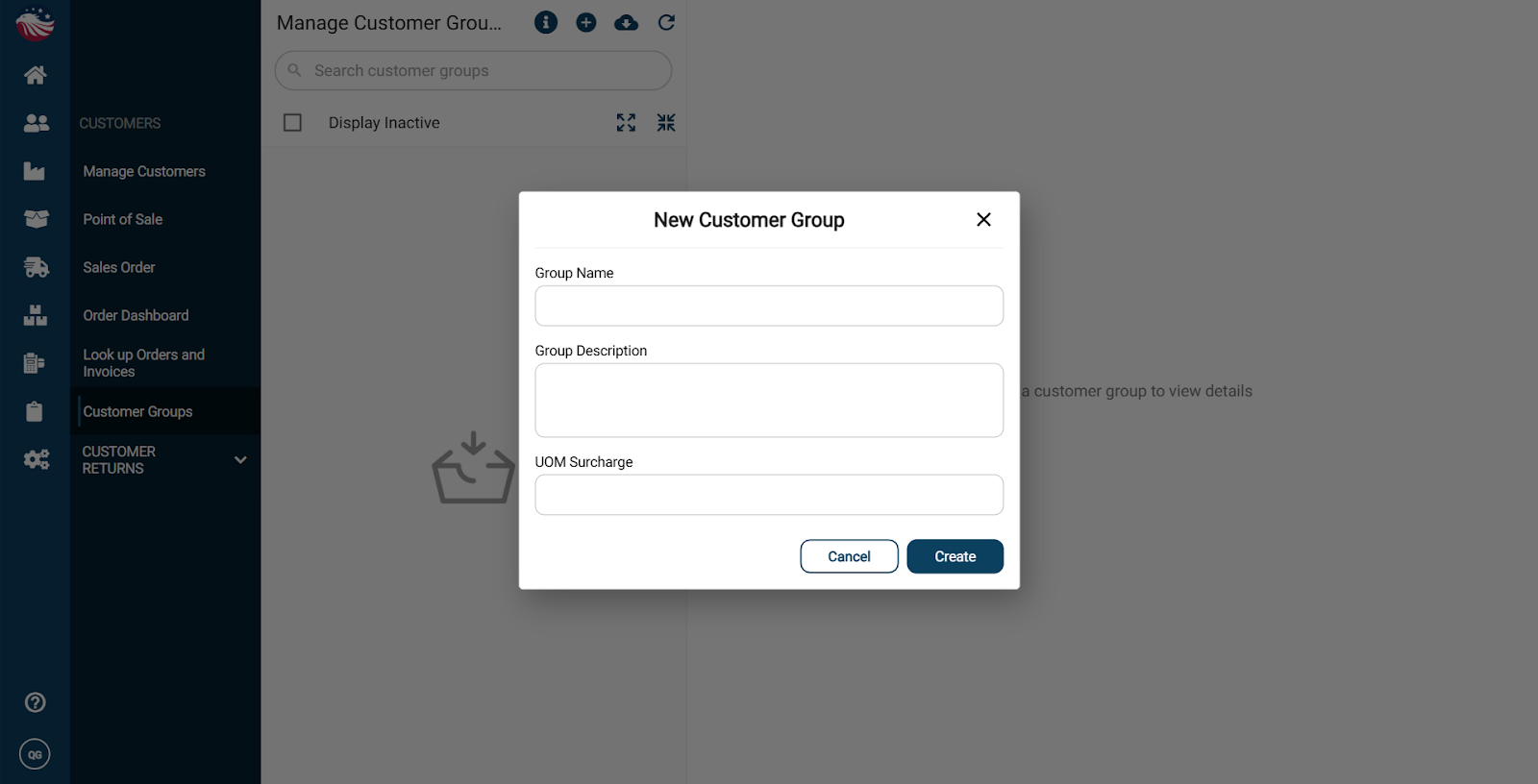
Give the customer group a name, a description and optionally a UOM surcharge, then hit Create.
Bird’s Eye View: A UOM (Unit of Measure) Surcharge is an extra fee charged to a customer based on the specific unit they are buying. It is most commonly used as a "broken case fee."
Associate customers to this list by hitting Associate Customers and then selecting the customers from the list presented.