Here are three advanced tricks to speed up your sales workflow.
Want to move a product to the top of the invoice?
Inside the order, beside the shopping cart, click the three dots > Edit Item Sequence.
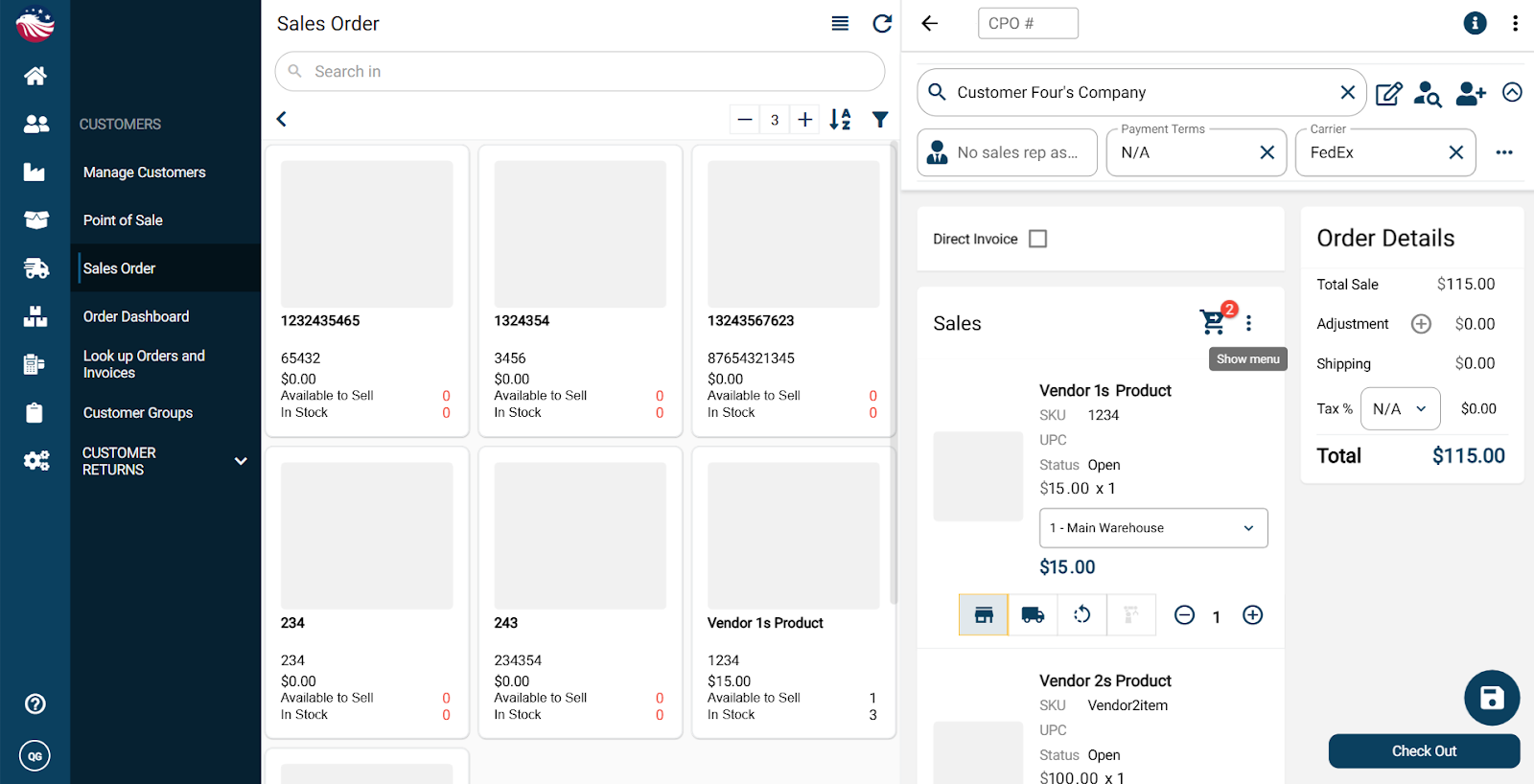
Drag and drop the items into the order you want.
Close to save.
Selling a service or handing an item over the counter? You don't need to Pick, Pack, and Ship.
In the Sales Order, check the box for Direct Invoice.
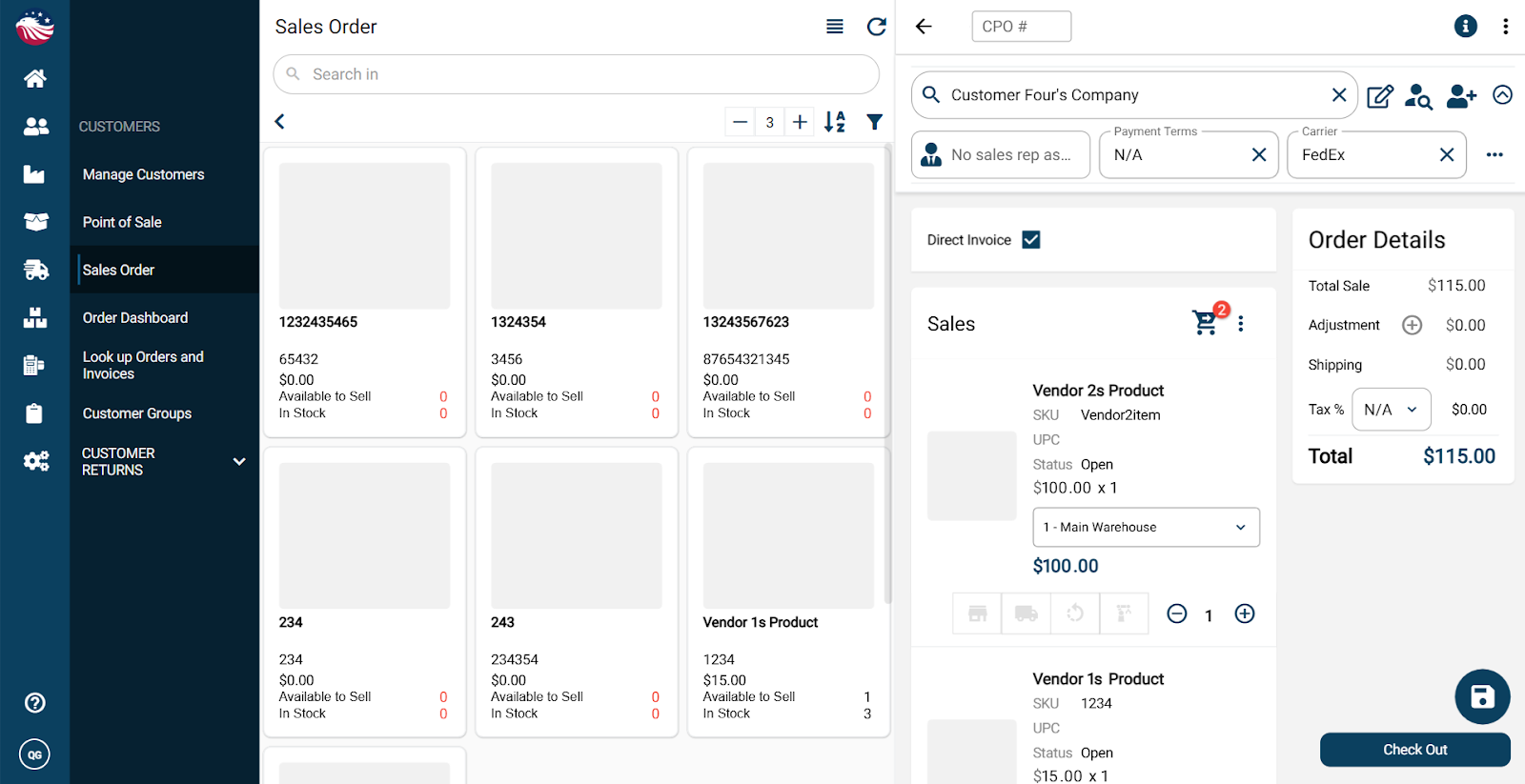
When you hit Checkout, it skips fulfillment and goes straight to an Invoice.
Did a new customer say, "I want exactly what he ordered"?
Go to Look up Order and Invoices.
Click the three dots on an existing order > Clone Order.
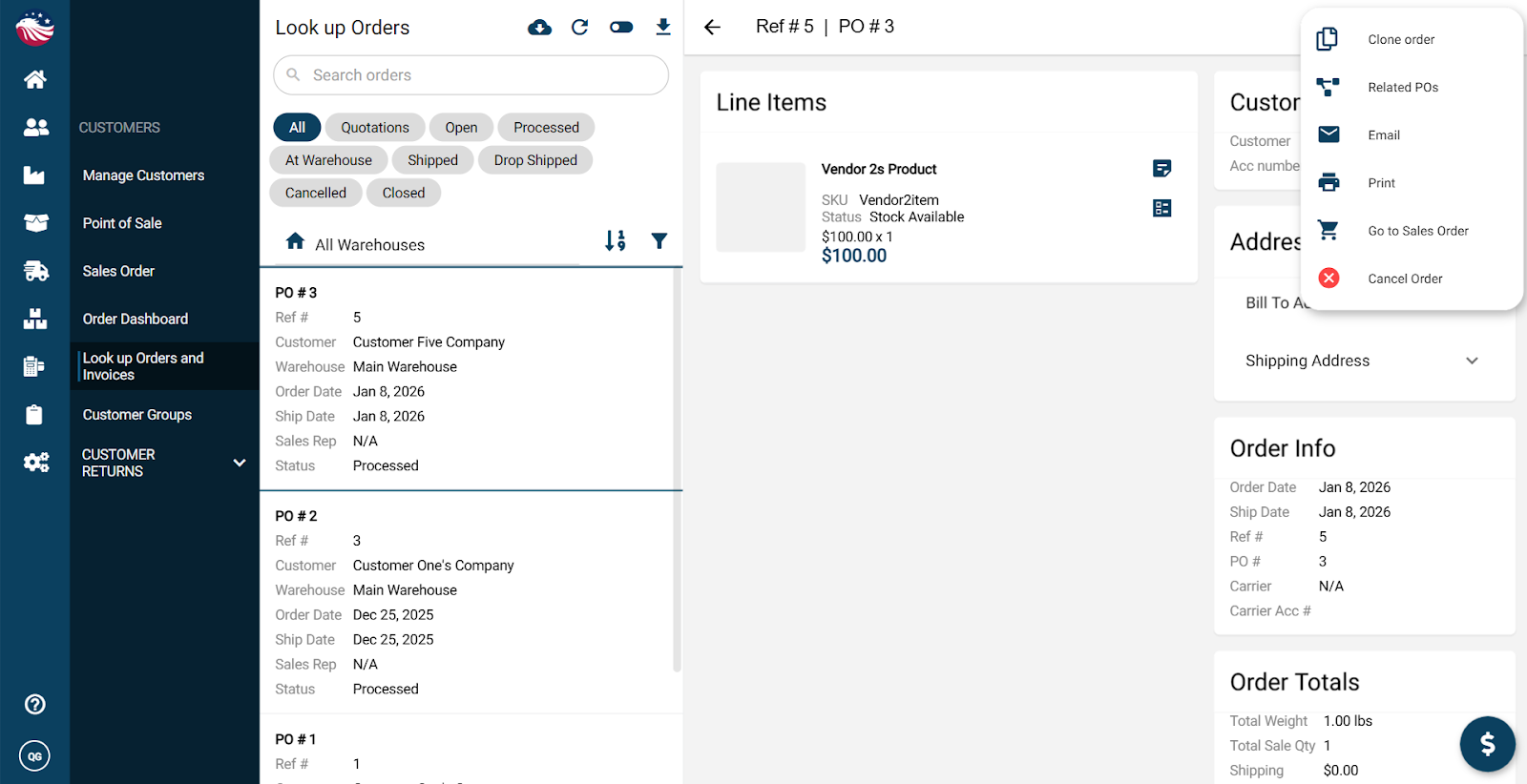
The system copies the items but lets you select a different customer.
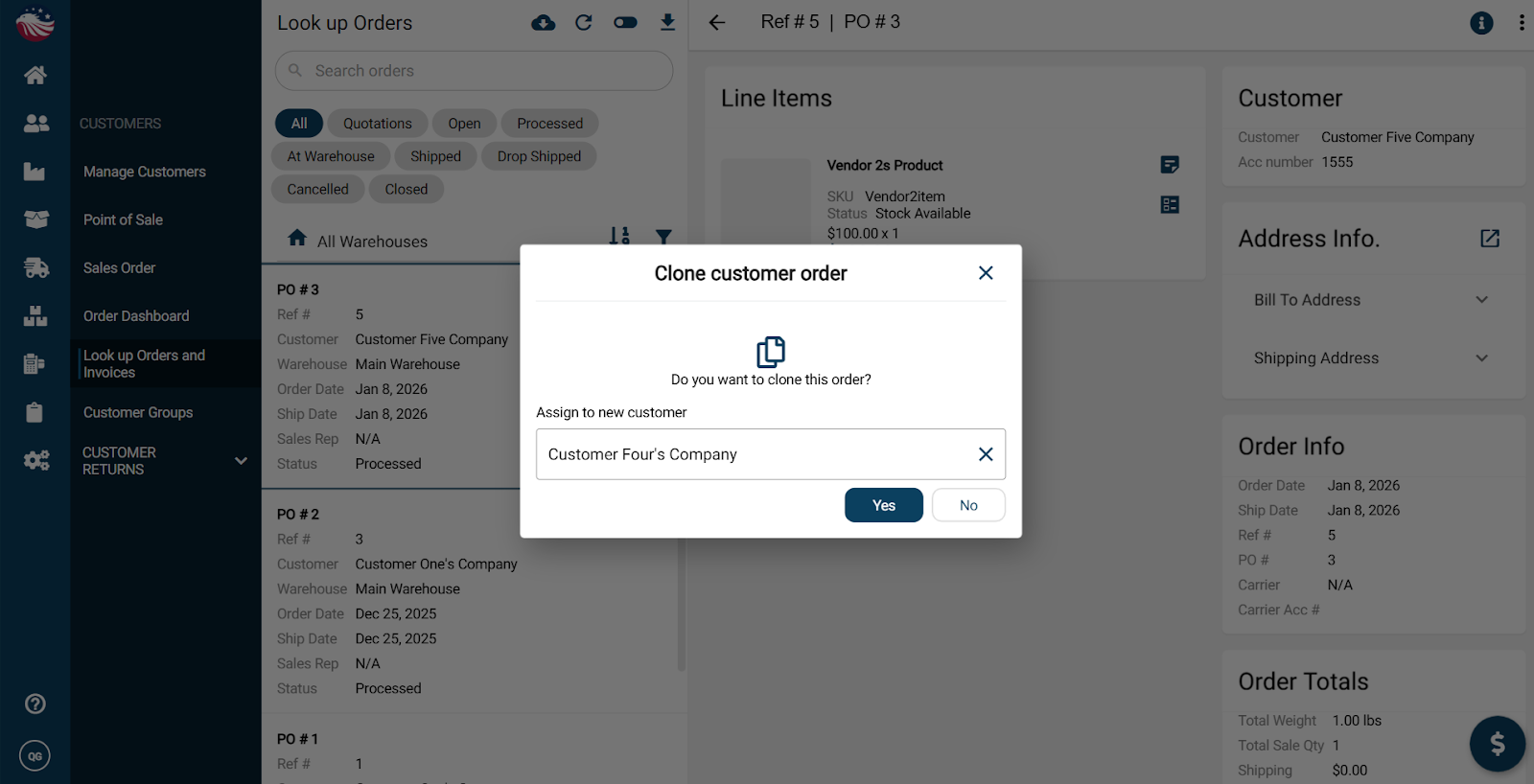
Hit No to generate a new PO number or Yes to use the same PO number.
Amazing! You cloned an order to a new customer, well done!
