Go to Customers > Manage Customers and select your customer with previous payments/credits.
Scroll down to see the Payments/Credits button.
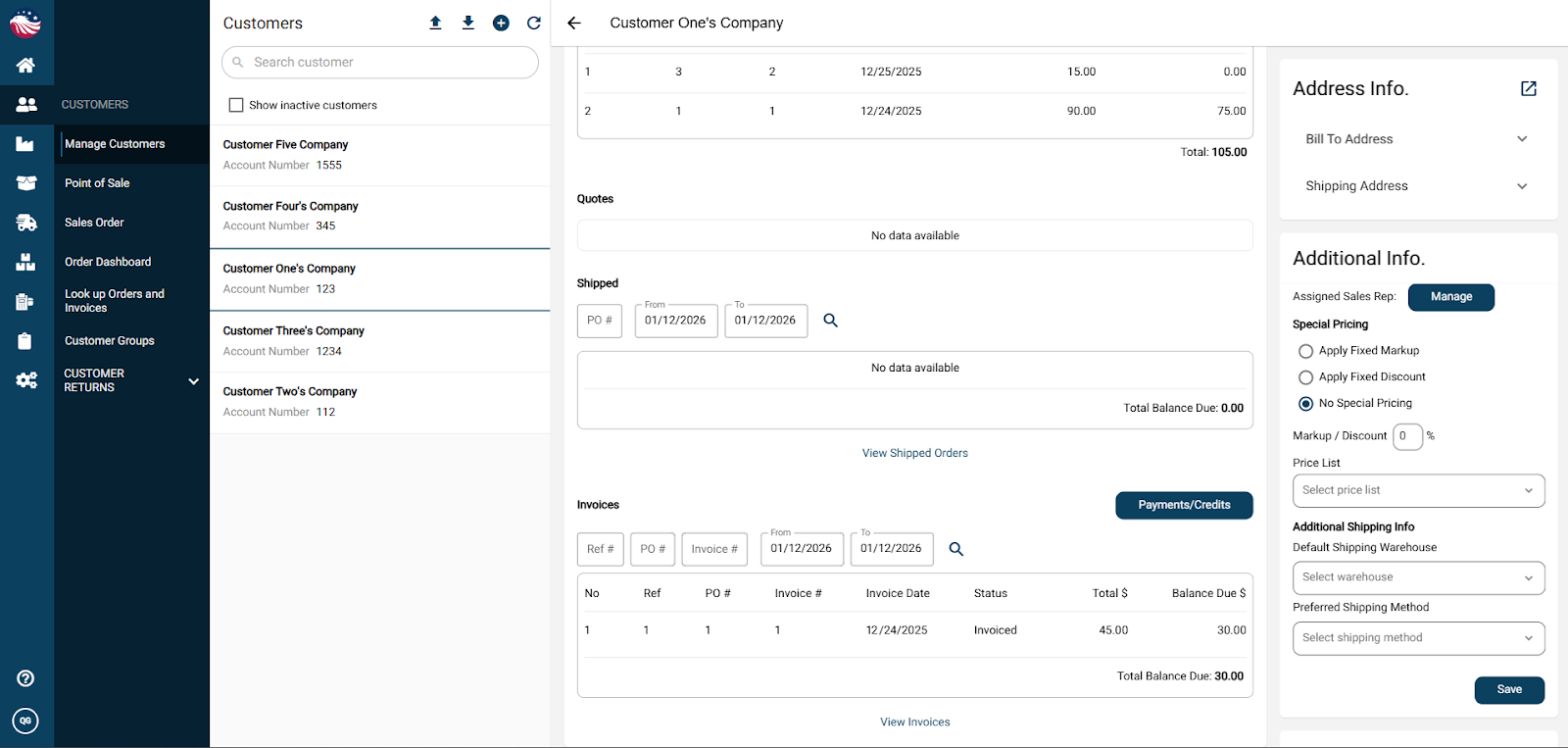
Click Payments / Credits and then hit the left tab for New Payment.
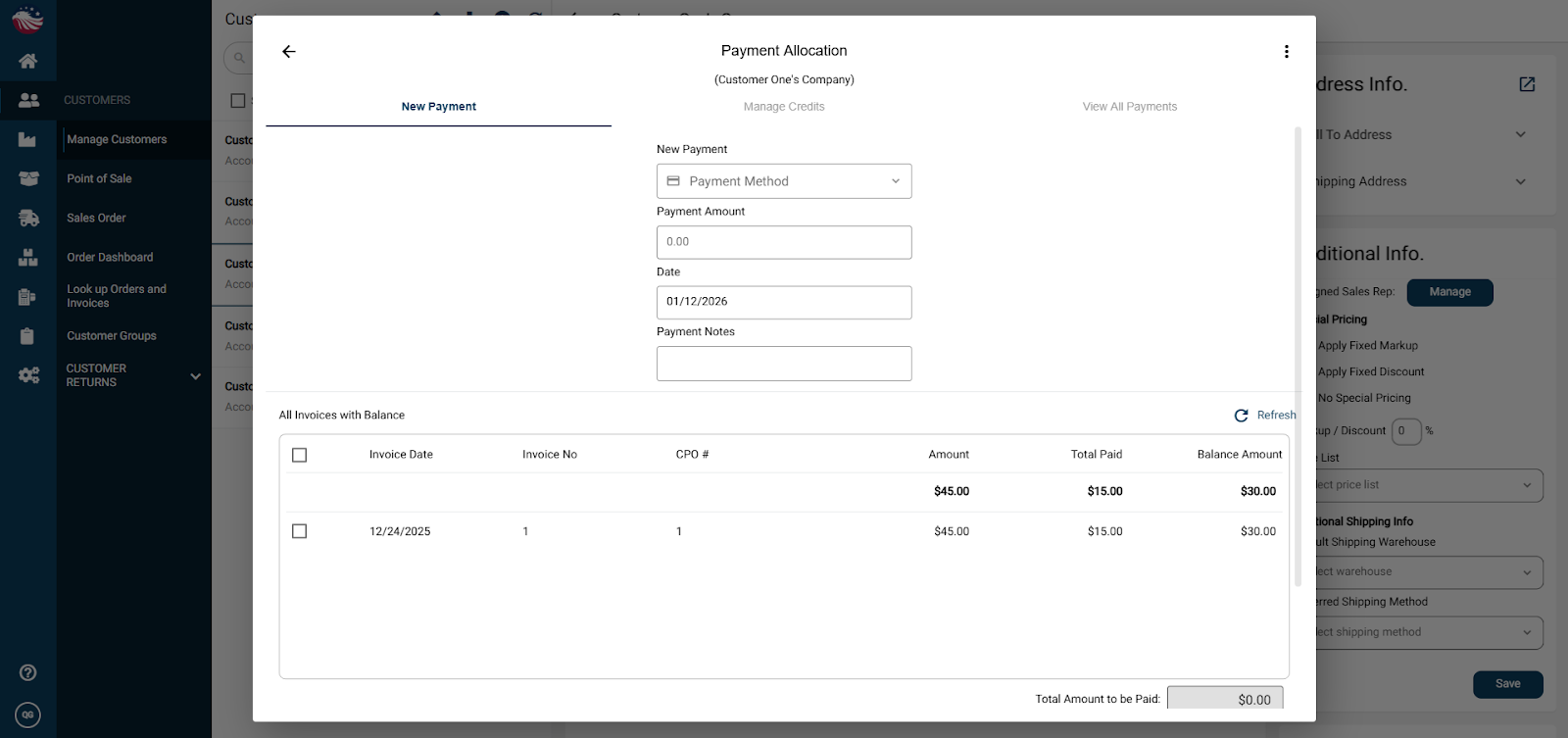
Enter the payment method, amount, any notes, and then scroll down and hit Process.
Bird’s Eye View: If a customer pays $50 on a $30 bill:
The system pays the bill in full.
The remaining $20 automatically becomes a Credit on their account.
Next time they buy something, you can go to Payments/Credits, select that $20 credit, and apply it to their new invoice!
