Best for moving items across the room or adjusting records.
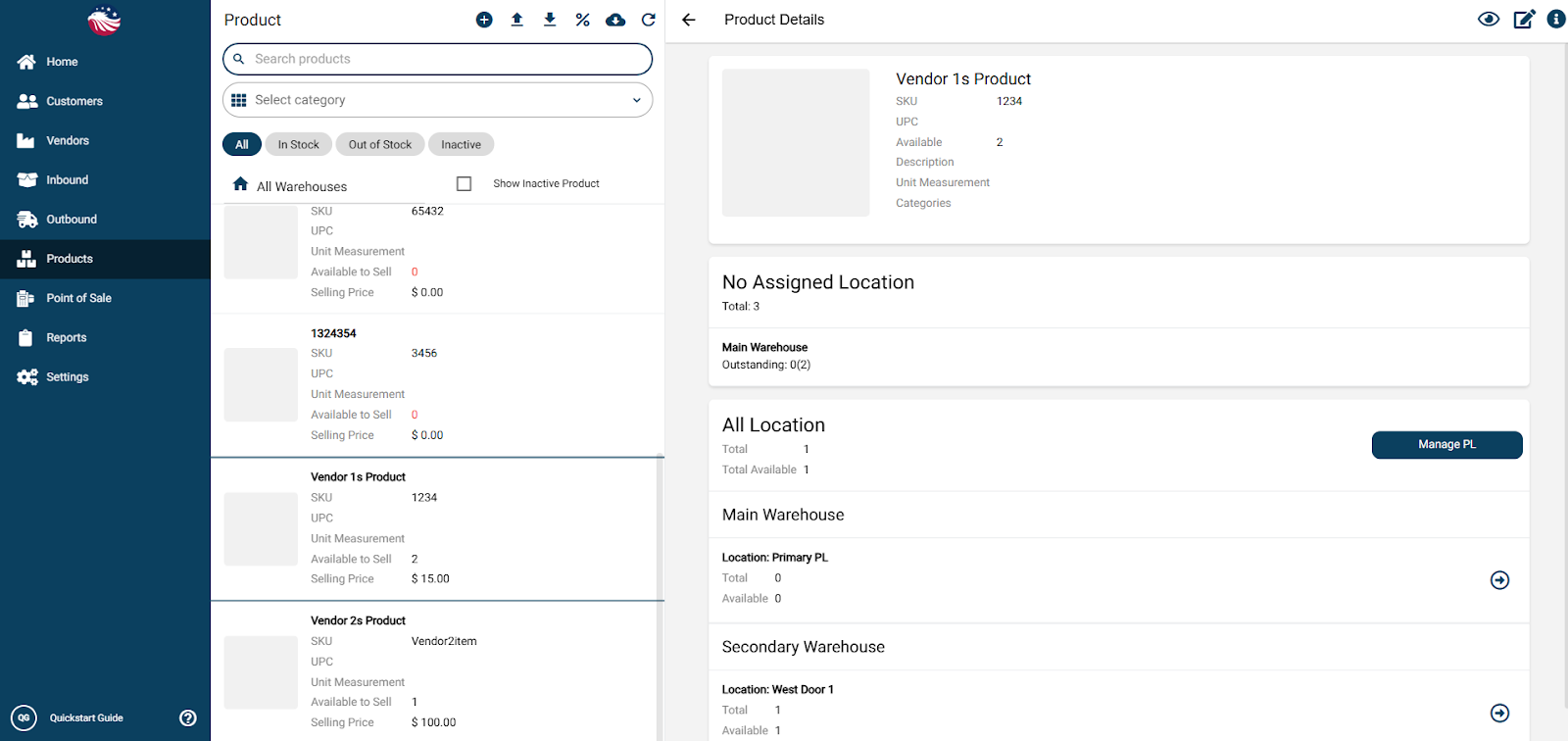
Go to Products > Manage Products, select an item, and click one of Arrow Icon on the right side of the screen for the warehouse you want to move stock from.
Select a warehouse for the stock to move to and select a picking location.
Enter the quantity of the transfer and a reason for the transfer.
Hit Proceed, review the transfer and if it looks good hit Transfer. Done! Stock moves instantly.
