Imagine you have 240 individual bottles (Eaches) in stock, and you want to designate some as "Boxes."
Go to Products > Manage Products and select the product. Here we can see there is 2 rows for this item in the Main Warehouse one line for Eaches and one line for Boxes
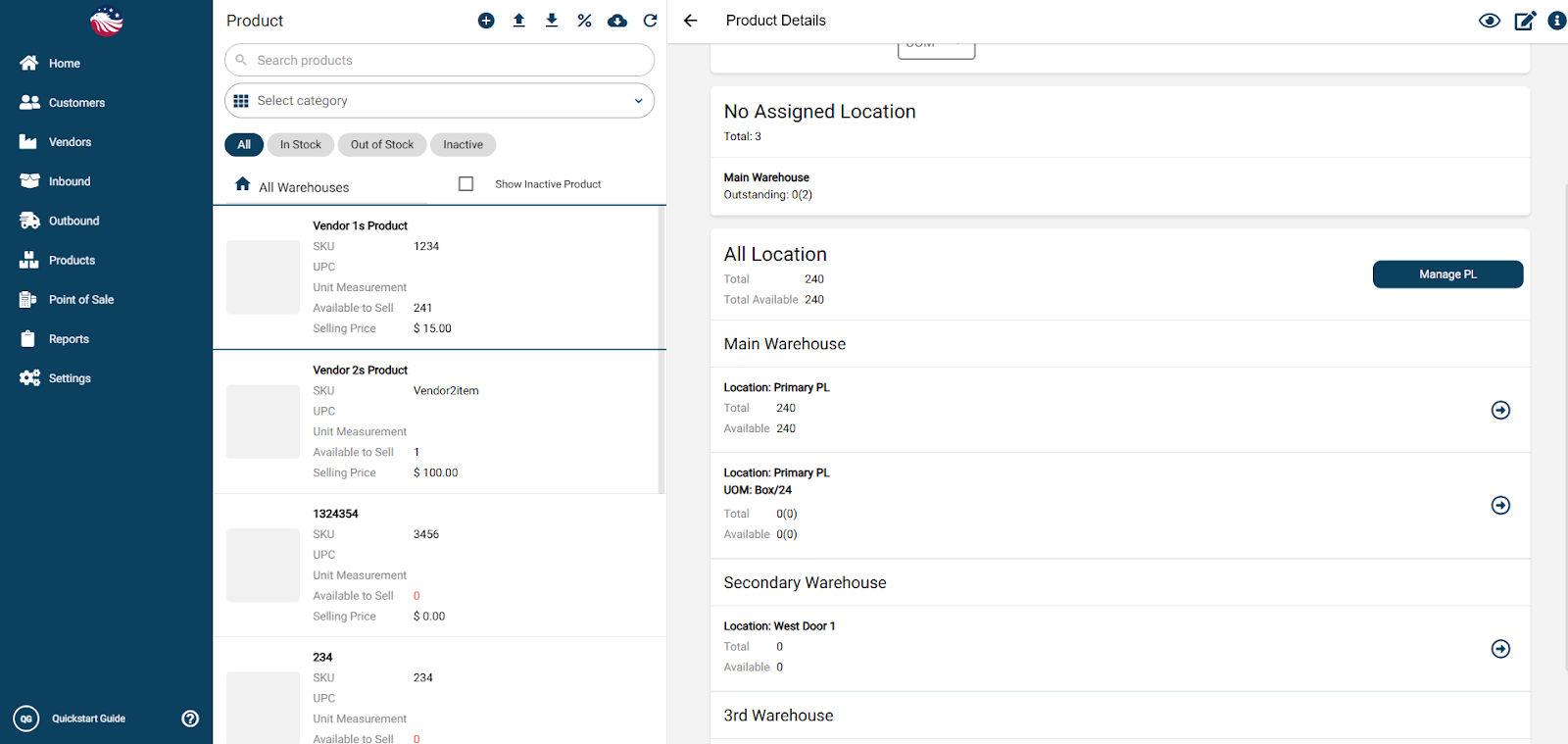
Click on the Box/24 inventory line (which is currently 0).
Enter Adjustment: Type in 3 (to create 3 boxes) and hit Proceed/Add Adjustment.
The Result: The system essentially "packs" those items for you.
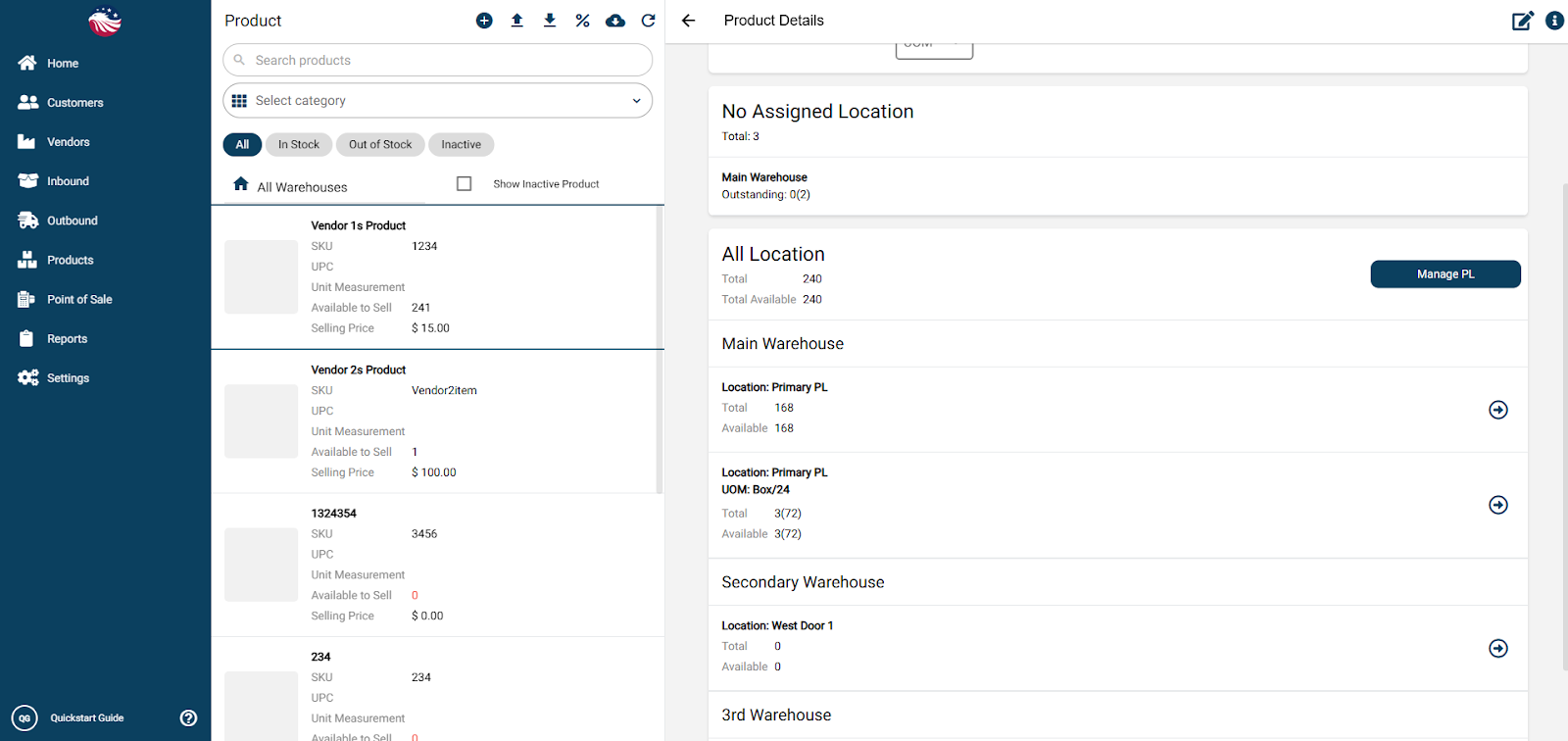
You now have 3 Boxes (accounting for 72 units).
You have 168 Eaches remaining available to sell individually.
Total physical stock is still 240, but it is now segmented.
