Go to Customers > Sales Order and search for the product.
Click on the Product.
A window will pop up showing the breakdown: "168 Available (Each)" and "3 Available (Box of 24)."
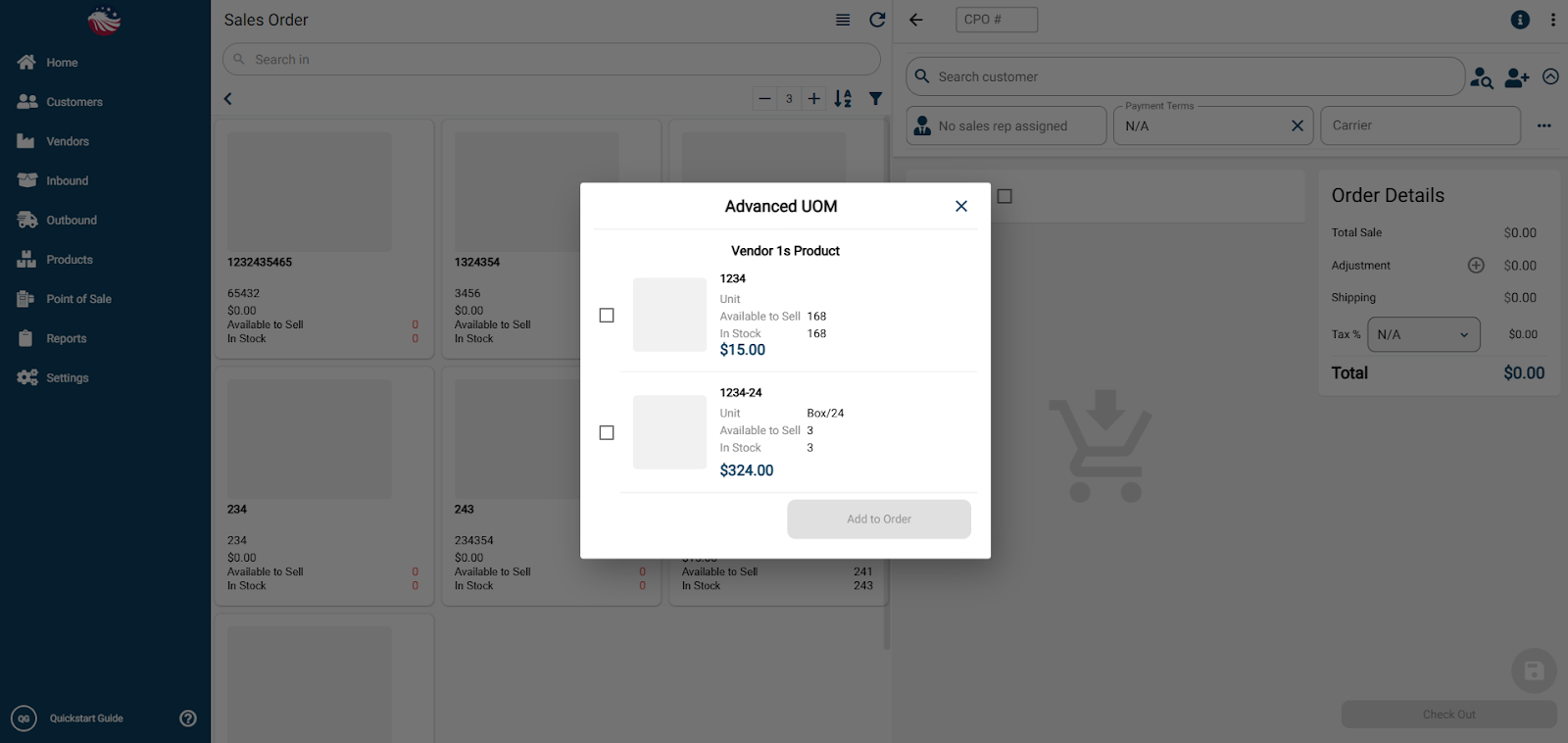
Select the Box of 24 option and click Add to Order.
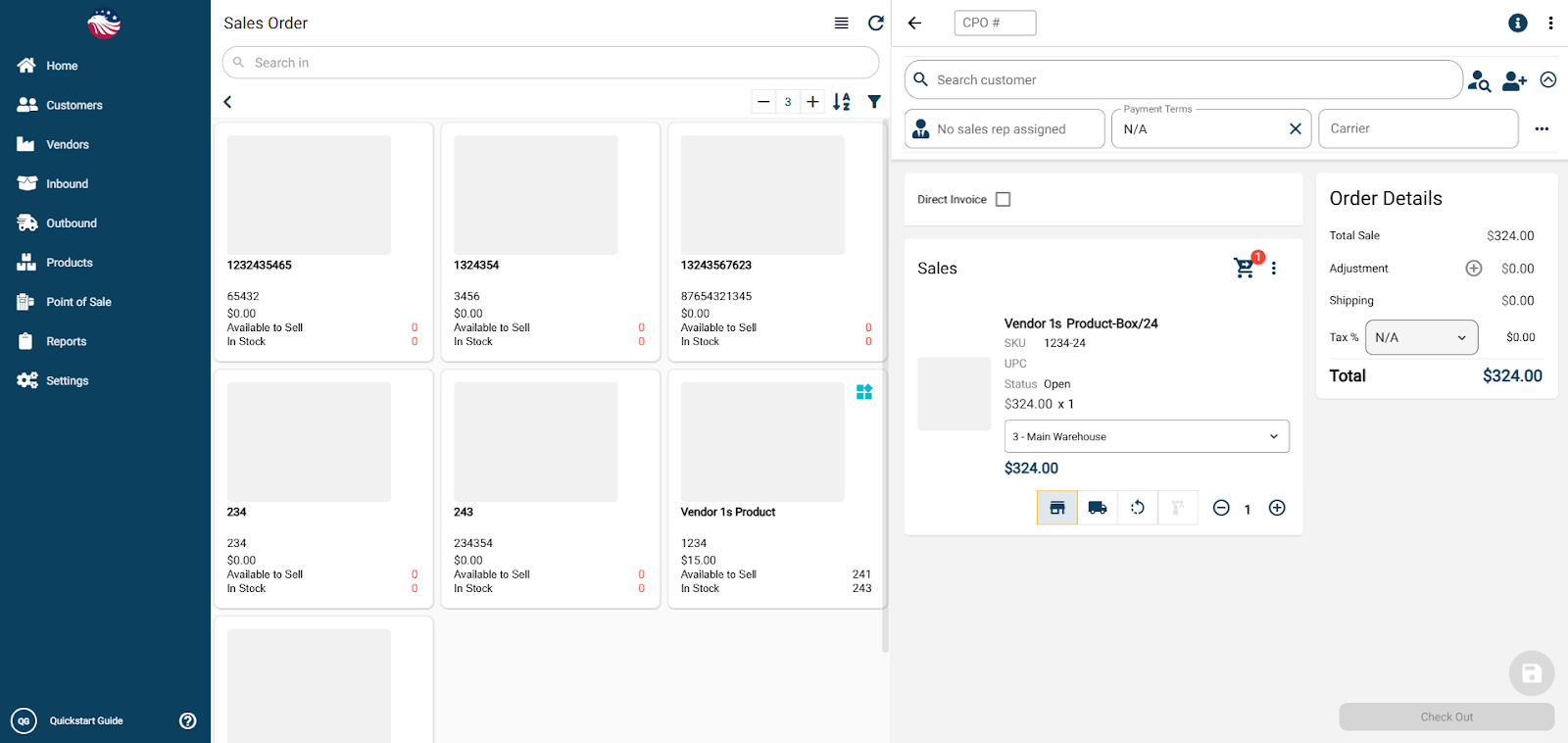
Note: The system automatically applies the correct price and discount you set up earlier.
Checkout and Ship as normal.
Bird’s Eye View: Breaking a Box Need to "break" a box to sell a single? Simply go back to the product inventory, click the Box line, and adjust the quantity negative (e.g., -1). The system will automatically release those units back into your "Each" inventory.
