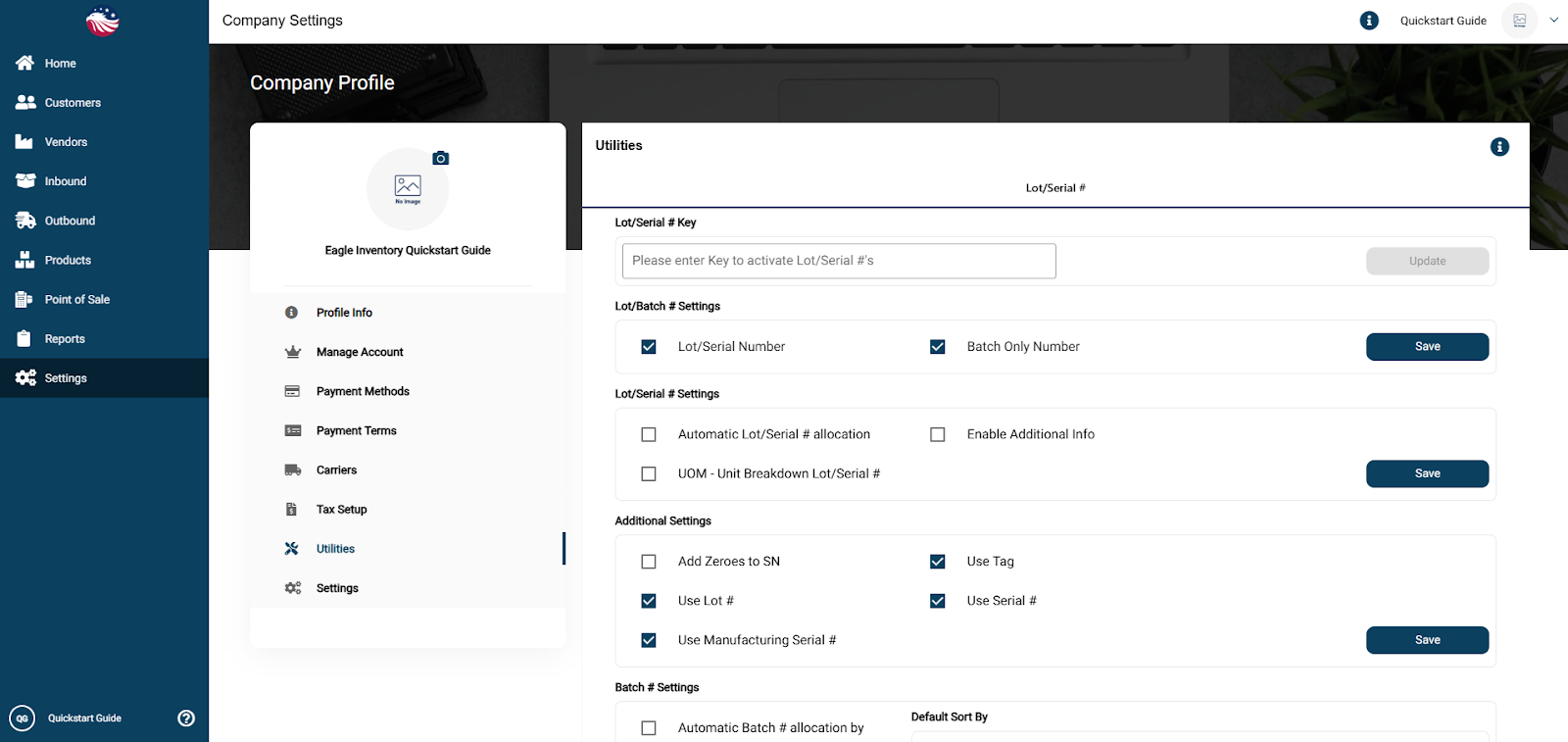
If this feature is relevant to you then go to Settings > Company Settings > Utilities. Select the relevant checkboxes below Lot/Batch # Settings, and then hit the Save button on that same row. This enables the features for Lot and Batch Serial Numbers.
Go to Products > Manage Products and select the product. Hit the Pencil icon in the top right corner and then go to the Additional Info tab.
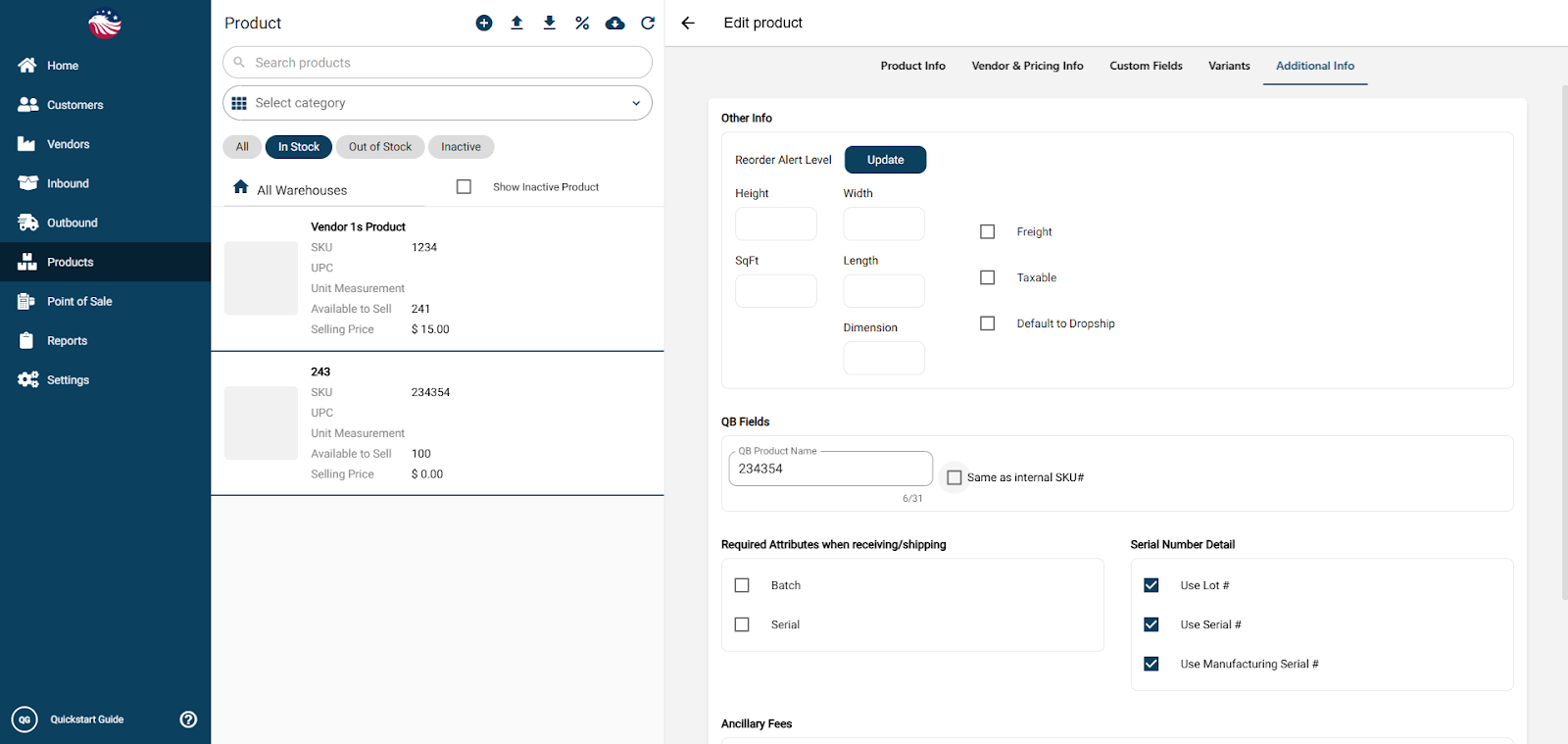
Find the tracking requirement setting.
Select Serial Number (or Batch) for when receiving and/or shipping and then scroll down and hit Save.
Note: You can generate numbers automatically when purchasing from a vendor, but below is how to add them to stock you already have.
