When a customer buys a tracked item, you must tell the system exactly which specific unit you are giving them.
Go to Customers > Sales Order, find the product we assigned serial numbers to and add it to the sales order. Add a customer and hit Check Out and then follow the system flow to finish placing the order.
Go to Outbound > Customer Orders and find the order.
As soon as you type the quantity to pick or go to increase the quantity with the Plus icon, the system automatically opens the Serial Number Assignment Screen.
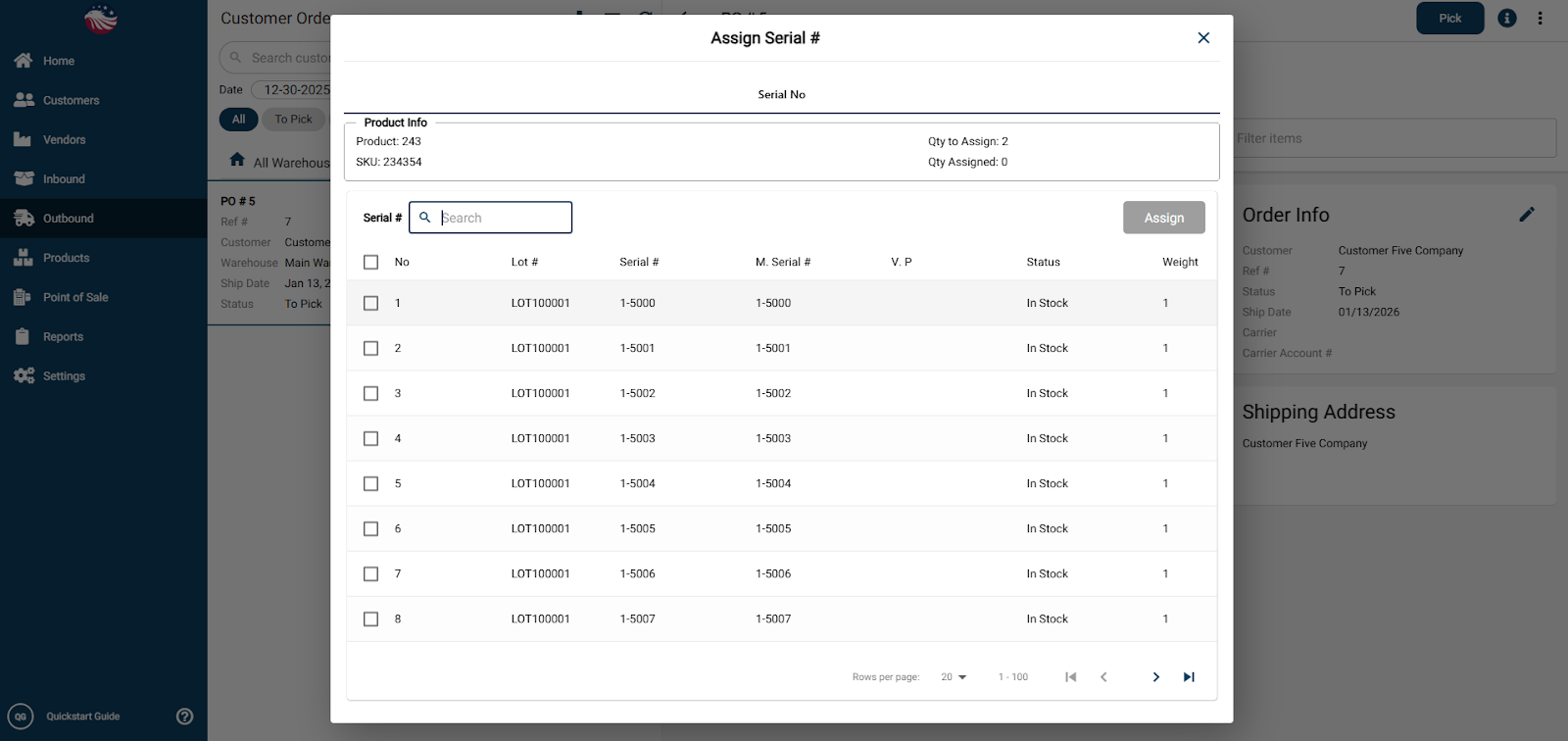
Check the boxes for the specific serials you are grabbing (e.g., 5003 and 5005).
Click Assign.
Finish by Picking, Packing, and Shipping the order.
