Click on the Additional Settings tab in the top navigation bar.
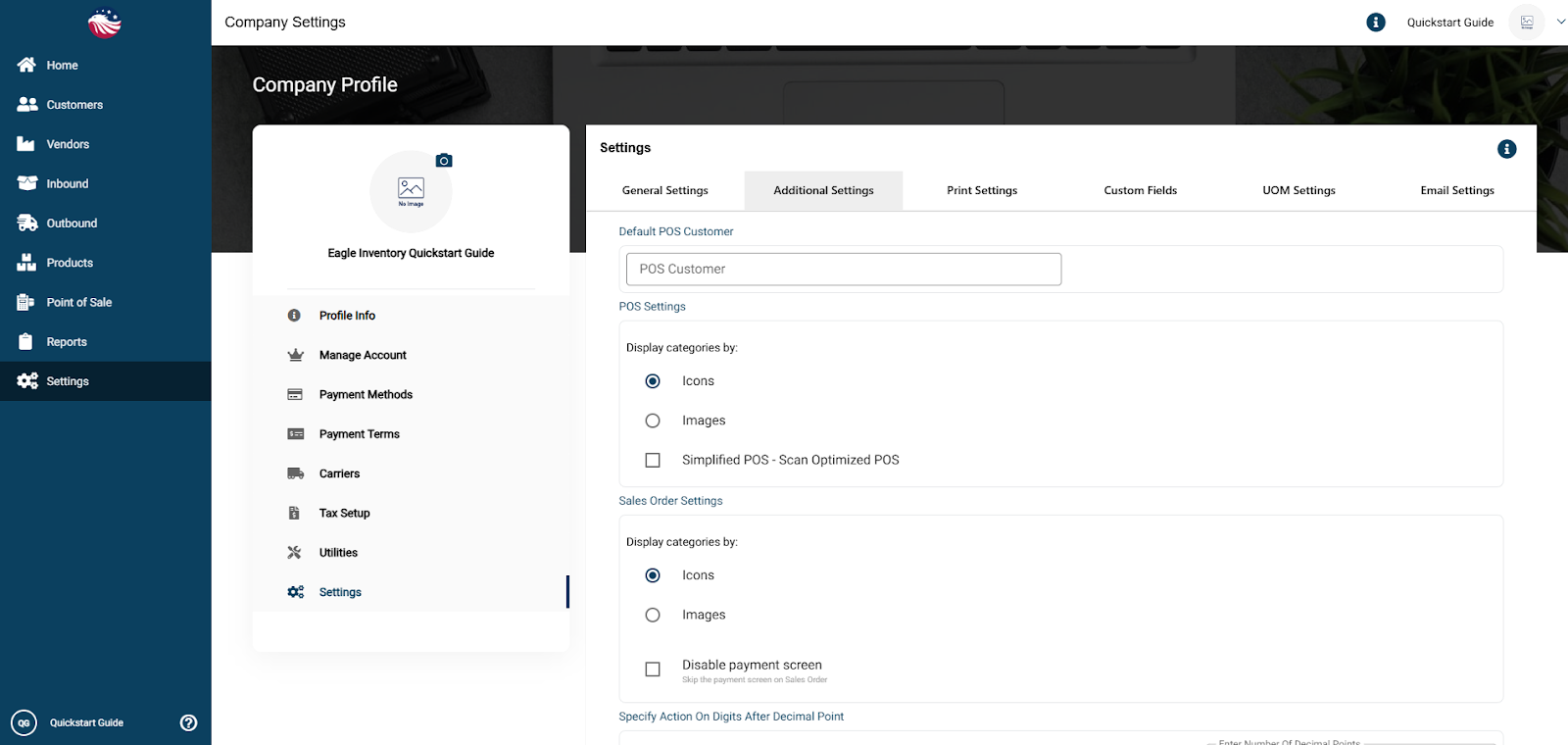
Here you have Sales Order and POS (Point of Sale) settings.
Default POS Customer: Set a generic "Walk-In" account for quick sales.
Decimal Precision: Choose whether to Round or Truncate decimal places for quantities.
Editable Product Names: Check this to allow your sales team to rename items on the fly inside an order.
Consolidate Backorders:
Checked: The system groups multiple backorders into one big Vendor PO.
Unchecked: Every single backorder creates a separate Vendor PO.
Manage Cost: This allows you to add "Overhead Costs" (like duties or freight) on top of your regular product cost.
Show Barcode Scanner: Enables the scanner field on the "Pick" screen.
Limit PPS (Pick, Pack & Ship): If checked, the system allows you to "Pick and Ship" in one step, completely skipping the "Packing" stage. Great for simple operations.
Vendor SKUs: Displays the Vendor's part number on the PO instead of your internal SKU.
Bird’s Eye View: For Return Management it’s good to set up a Reason Dropdown for Credit Memos. This forces the user to choose a reason (like “Damaged” or “Wrong Item”) when processing a return, which gives you cleaner reporting later.
