Click on the Print Settings tab in the top navigation bar.
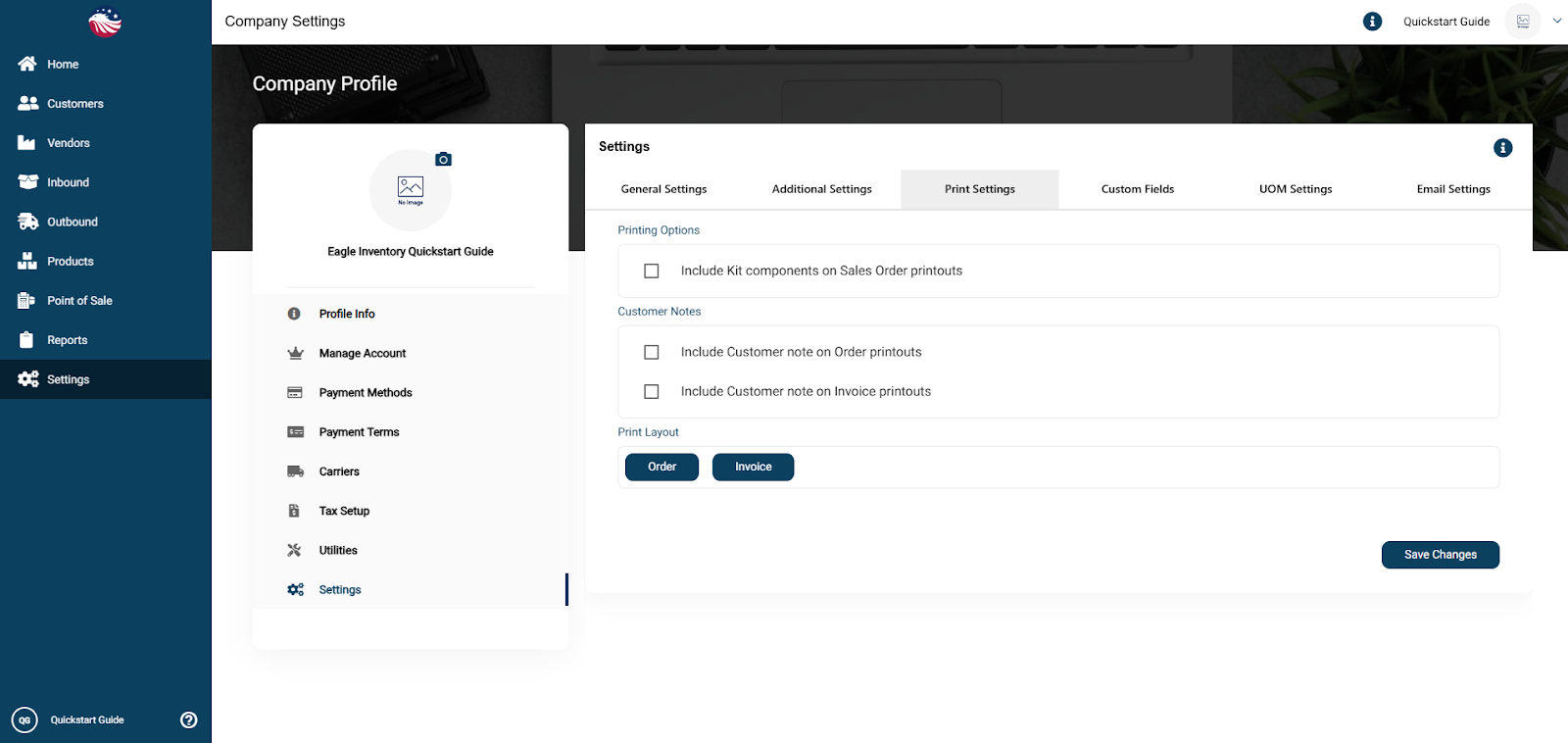
Enable Show Customer Notes to print special instructions on the invoice.
Click Order, below Print Layout (for orders or invoices).
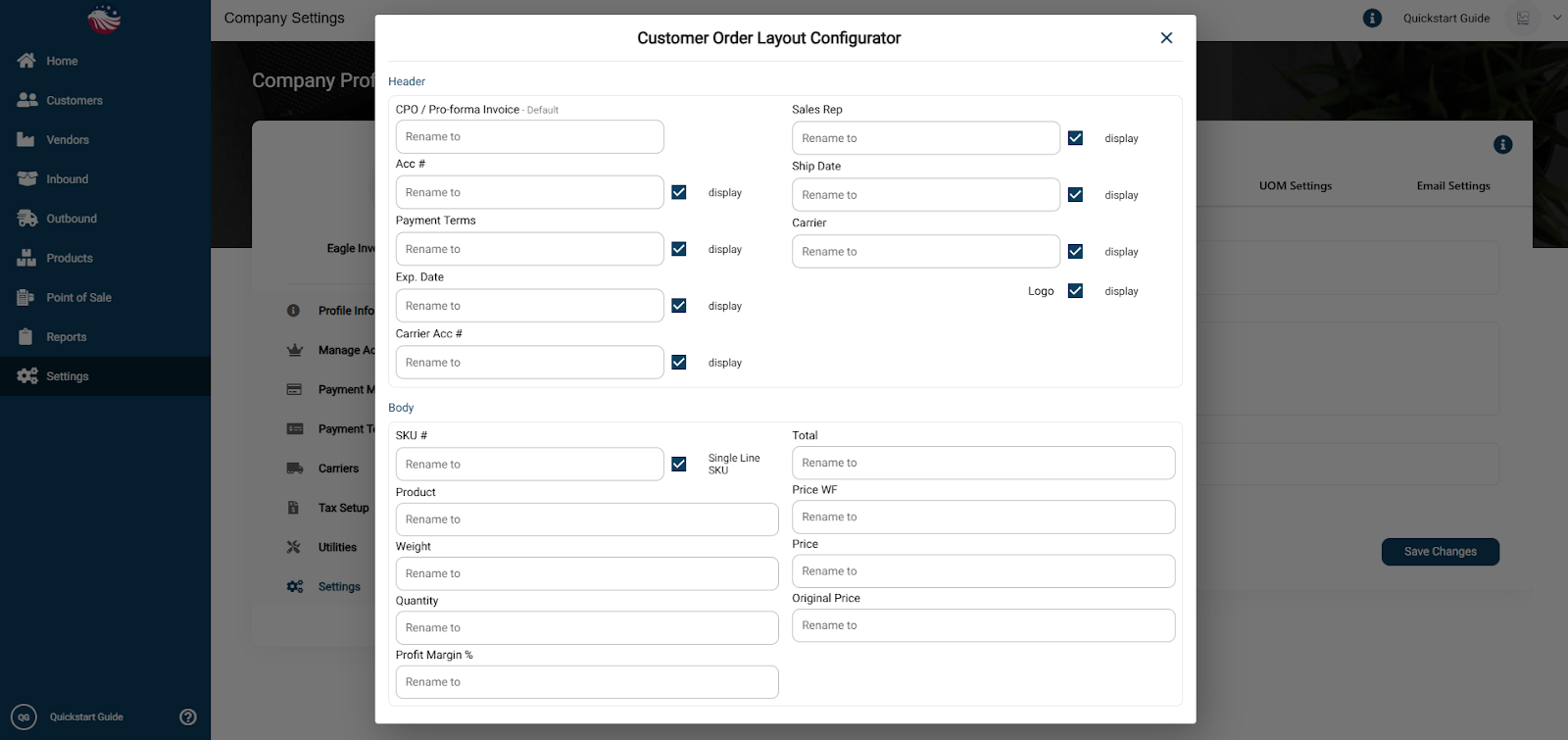
You can Rename Column Headers (e.g., change "Qty" to "Quantity") or uncheck columns to hide them entirely.
